1
Reference
Overview
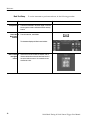
Serial trigger setup (cont.)
Select clock 8.
source, polarity,
and level
Related control elements and resources
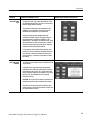
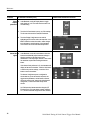
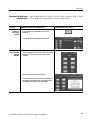
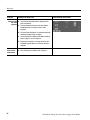
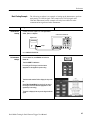
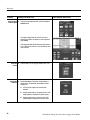
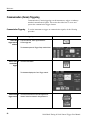
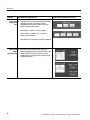
Touch the Clk Src button to select the serial data clock
source. Select from channel 1 through channel 4 and
R Clk (recovered clock). Recovered clock is only
available for NRZ coded signals.
Refer to Recovered Clock (R Clk) Key Points on
page 35 for information on the Recovered Clock
function.
9.
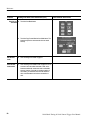
If the clock source is different than the data source
(except for R Clk), the instrument displays the Clk
Polarity button and the Clk Level field. Touch Clk
Polarity to set the clock signal polarity to Pos(itive) or
Neg(ative). Touch the Clk Level field, and use the arrow
buttons, multipurpose knob, or keypad to enter the clock
signal threshold level.
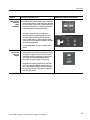
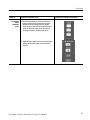
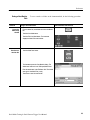
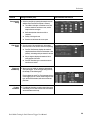
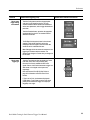
View the current 10. The Serial Pattern Data field shows the current serial
serial trigger
pattern. Touch the Format button to select the pattern
pattern
display format from the drop-down list. Available formats
are binary and hexadecimal.
38
Serial Mask Testing & Serial Pattern Trigger User Manual