1
Mitel NuPoint Messenger Technical Documentation - Release 7.0
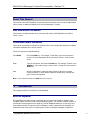
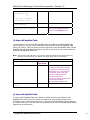
Enter import filename:
<file name> Enter the path and file name to
import. Do not specify the default
.rdt extension in the filename.
Records with settings that overlap
existing records in the current NP
RapidDial Table are not imported.
To import the file from diskette or
another directory, specify a full
path name in the following format:
/fd0/<path><filename>
n records added, n records
deleted, 1 failed.
If you do not specify a path, the
program searches for the file in the
default directory:
/usr/vm/config/
The number of imported records
appears as n records added. If the
import file includes redundant
records, an error message
appears. Each error increments the
“failed” counter.
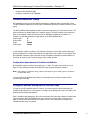
(P) Purge Subscriber Group
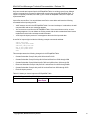
To remove a Subscriber Group from the NP RapidDial Table, select P from the NP RapidDial
Table menu (Figure 3-3). Table 3-6 shows you how to purge a Subscriber Group (using
Subscriber Group 10 as an example).
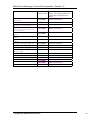
Table 3-6 Purge Subscriber Group
Prompts
Example of
User Input
Enter Subscriber Group (1- 10
1000):
Please enter the passcode: RdtUtil
Do you really want to
Y
remove Subscriber Group
10? (Y/N)
Subscriber Group nn with
nn record(s) deleted.
Enter Subscriber Group (11000):
Comments
Purge Subscriber Group 10.
The passcode is case sensitive.
Enter a new Subscriber Group
number or press Enter to exit.
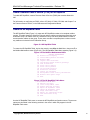
(R) Report on all Subscriber Groups
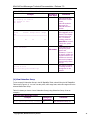
To obtain a report of the Subscriber Groups in the NP RapidDial Table, select R from the NP
RapidDial Table menu (Figure 3-3). You can view the report on the console or save it to a file.
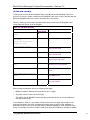
Table 3-7 shows you how to obtain an NP RapidDial Table report.
©Copyright 2002, Mitel Networks Corporation
10