1
SECTION 2: SET-UP AND INSTALLATION
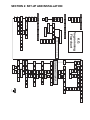
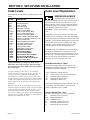
Selection Setting (SEL)
If (ENTER) is pressed at the “SEL” prompt, the controller
will enter the selection setting and the first display will
show the current setting for selection one “01 X”. If X is
(1) the selection is active or (0) the selection is not active.
Using (UP) or (DOWN) will allow you to rotate through
the valid selections or select “ALL”. If (ABORT) is
pressed anytime during this operation, the controller will
return to the “SEL” without saving your selection.
X= (1) The selection is active.
X= (0) The selection is not active.
discounted during the following programmed time blocks.
Or if “X” set to (0) the discount setting will be disabled.
Toggle between the (1) and (0) by pressing (UP) or
(DOWN). Pressing (ENTER) will save the current setting.
If (ABORT) is pressed anytime during this operation, the
controller will return to “EnbX” without saving your
selection. Press the (UP) button to proceed to the next
prompt “Strt”.
If X=1, The discounting price is enabled.
If X=0, The discounting price is disabled.
To edit a selection, press (ENTER) when the desired
selection is displayed, the value must blink before any
changes can be made. Pressing (UP) or (DOWN) will
change the current setting. Pressing (ABORT) while
editing a selection will bring you back to the original
setting without saving any changes. Press the (UP) button
to proceed to the next prompt “Lit”.
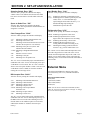
Start Time Setting “Strt”
If (ENTER) is pressed at the “Strt” prompt, the controller
will display “daY”. Enter into “daY” by pressing the
(ENTER) button. The display will show the current day
of the week followed by a (1) if the timer is active on that
day or (0) if the timer is not active on that day.
Lighting Control “Lit” (Optional relay kit required)
If the lighting control option is activated and the (ENTER)
button is pressed at “LitX” the controller will enter the
current lighting control setting. If “X” equals (1), the
lighting control will be activated and the lighting will be
turned off during the blocking period. If “X” is set to (0)
the lighting control will be disabled.
Using (UP) or (DOWN) will allow you to cycle through
the days of the week (non, tue, UEd, thu, Fri, SAt, Sun or
All). Press (ENTER) at the desired day to activate or
deactivate the timer for that day. The value must be
blinking to edit the selection. Press (UP) or (DOWN) to
toggle between (0) or (1). When desired selection is
shown, press (ENTER) to save your setting. If (ABORT)
is pressed anytime during this operation, the controller
will return to the “daY” prompt without saving your
setting. Press the (UP) button to proceed to the next
prompt “Hour”.
X= (1) Lighting control will be actived.
X= (0) Lighting control will be not actived.
Press (ENTER) to edit the setting, “1” or “0” must blink
before any changes can be made. Pressing (UP) or
(DOWN) will change the current setting. Pressing
(ABORT) while editing a setting will bring you back to the
original setting without saving any changes. Pressing
(ABORT) at the “Lit” prompt will bring you out to “bLC1”
or “bLC2” prompt. Press the (UP) button to proceed to
the next prompt “diSC”.
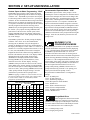
DISCOUNT SETTING
If (ENTER) is pressed at the “diSC”
prompt, the controller will enter the discounting control
setting and the first display will be “Enb”(enable). Using
(UP) or (DOWN) will allow you to cycle through available
sub menus. If (ABORT) is pressed anytime during this
operation, the controller will return to the “diSC” without
saving your selection.
If X= 1 The timer is active on that day.
If X= 0 The timer is not active on that day.
If (ENTER) is pressed at the “Hour” prompt, the left two
digits of the display will begin to flash, prompting the user
to adjust the hour setting. (UP) or (DOWN) is used to
adjust the hour. When the desired hour is shown, pressing
(ENTER) will cause the right two digits to flash, showing
the current minute setting. The minutes are set in the same
fashion. When the minutes are properly displayed,
pressing (ENTER) will save the start time and return to
the “Hour” prompt. Pressing (ABORT) from the “Hour”
prompt will return the controller to “Strt”. Press the (UP)
button to proceed to the next prompt “StoP”.
Note: The time is based on 24 hour time (Military time)
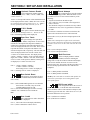
Enable Discount “Enb”
If (ENTER) is pressed at the “EnbX” prompt, the controller
will enter the discount enable mode. If “X” is set to (1) the
discount will be enabled and the active selections will be
G-III Vender
Page 21