1
3.2
Hybrid channel
•
•
Release the button CUE.
Turn the control 'AIR LEVEL' until reach the
apropiate level.
The appropiate level for the communication is
adjusted by observing the level meter "PGM", but
also listening to the processed audio on the air.
To put the call off-air and resume in private, turn
down the knob “AIR LEVEL” and press CUE to
listen and Talkback to talk.
To transfer the call to the telephone, turnn down
the "AIR LEVEL" to zero, pick up the phone and
then release the “HOLD/AIR” button on the console.
If the telephone was hung up when release the
HOLD/AIR, the communication will lost.
The hybrid section manages 1 standard telephone
line, and 1 Bluetooth cell phone (see “2.2.6.2 Connecting a cell phone”) Both can be in simultaneous
conference (see 3.2.3 – Conferences).
Its use is simple and error free due to its logic of security and automatic control. The following instructions
explains different scenarios of use.
3.2.1 Operation
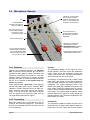
When a call enters, a blue LED will blink with the 'ring'
cadence. The calling can be answered in two ways:
a) Using the telephone associated to that line
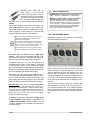
b) From the console, by pressing the
HOLD/AIR button. When doing it, the line is
taken and the LED stops blinking.
To answer the call from the telephone (connected to
the RJ11 on the rear panel) pick up the phone and
proceed as in normal communication. To put the call on
the air, press the HOLD/AIR button and then hang up
the phone.
To answer the call directly from the console, press
HOLD/AIR. The console picks up the line and the ring's
pilot light turns off.
In this condition, the caller receives the program signal,
and will be on-air if the 'AIR LEVEL' knob opens.
Therefore it is important to check that the 'AIR LEVEL'
knob be closed when take the line.
To talk privately with the caller, press CUE. The caller
is lietened on CUE speaker. In this condition (cue
pressed) the caller not hear the program signal. To talk,
press the TALKBACK and use the talck-back MIC.
To hang up the line, turn AIR LEVEL to zero and
release "HOLD/AIR".
3.2.2 Using a cell phone
The cell phone connects to the Solidyne D612 via
Bluetooth. The first time that a cell phone is used
with the console, it must be paired as explained at
"2.2.6.2 - Connecting a cell phone".
Once paired, the procedure used for the connection
every time is simple:
•
Make sure that the control “AIR LEVEL” is
closed, and the button CUE pressed.
•
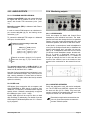
Turn ON Bluetooth at the console. For this,
press and hold “CELLULAR PHONE BLUETOOTH” by 2 seconds (approximate) and release when the green LED (located in the VU
meter panel) flashes. The LED remains flashing slowly indicating that Bluetooth is enabled.
•
Turn on Bluetooth at the cell phone. If the cell
phone was already paired, in few seconds the
connection reestablishes and the cell phone
stays linked with the console. Under this condition, incoming calls are transferred directly to
console.
If the console is used exclusively with cellphone, ie,
there is little or no use of the land line, you should
leave the cellphone connected to the console and
handle the calls from the hybrid.
When there is a continuous use of both lines, either
alternately or simultaneously (conference) raises
some peculiarities in the operation, detailed in
"3.2.3 Conferences".
To put the call on the air:
www.SolidynePro.com
Page 16