1
Using the Ventilator
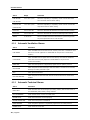
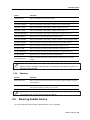
Setting the Extended Parameters
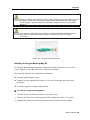
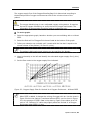
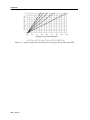
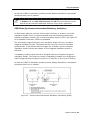
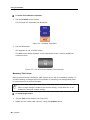
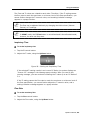
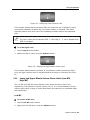
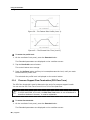
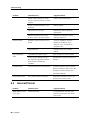
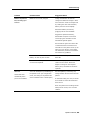
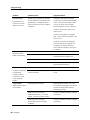
Figure 39 – The Fastest Rise Profile (Level 1)
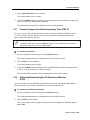
Figure 40 – The Slowest Rise Time (Level 5)
To set the rise profile level:
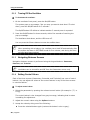
1. On the ventilator front panel, press the Extended button.
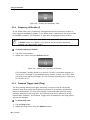
The Extended parameters are displayed on the ventilator screen.
2. Tap the Rise Profile control button.
The control button turns orange.
3. Press the Up/Down button soft key to increase/decrease the level, until you reach
the desired rise profile level.
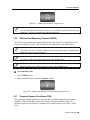
The selected rise profile level is displayed on the control button.
5.3.6
Pressure Support Flow Termination (PSV Flow Term)
The PSV flow threshold is used to determine the end of a pressure support breath.
You can set the PSV Flow Term from 10% to 70% of the peak flow.
In ACMV and SIMV VCV mode, the PSV Flow Term button is not utilized and is
therefore darkened. However, it remains adjustable.
To set the flow threshold:
1. On the ventilator front panel, press the Extended button.
The Extended parameters are displayed on the ventilator screen.
62 | Flight 60