1
Mitel NuPoint Messenger Technical Documentation - Release 7.0
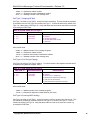
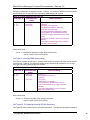
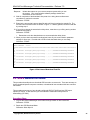
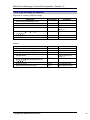
Select:
Prompt:
Response:
(K) String pad character
Field pad character:
A pad character. You cannot enter a period (.); the server will ignore it.
10. Exit CDR Report Menu to save your choices.
CP 5210 Start Call Detail Recorder
This procedure describes how to start Call Detail Recorder. Once started, CDR continues to run
until you select Stop CDR. If you reset your system, CDR automatically starts up again.
Procedure Steps
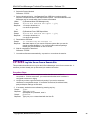
1. From the Reports Menu, reach the Call Detail Recorder Main Menu.
Reference: Menu Map 13
2. Ensure your configuration and report settings are set as desired, or change them to
your liking.
3. Start CDR.
(B) Start
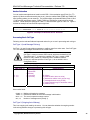
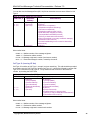
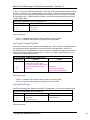
Select:
CDR Started
Prompt:
Response: No response is necessary. You are still at the Main CDR Menu.
CP 5211 Stop Call Detail Recorder
This procedure desribes how to stop Call Detail Recorder. CDR does not run until you select
Start CDR again. If you reset your server, CDR stays halted.
Procedure Steps
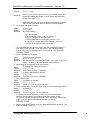
1. From the Reports Menu, reach the Call Detail Recorder Main Menu.
Reference: Menu Map 13
2. Ensure you are at a good point to stop CDR, such as a low-usage time. When CDR
is stopped, it cannot log any activity.
3. Stop CDR.
(C) Stop
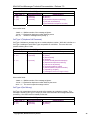
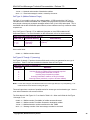
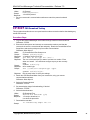
Select:
Type "STOP CDR" if you really want to do this
Prompt:
Response: Type "stop cdr" in either all lowercase or all uppercase:
stop cdr
or
STOP CDR
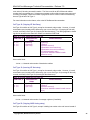
CDR Stopped
Prompt:
Response: No further response is necessary. You are still at the Call Detail
Recorder Main Menu.
©Copyright 2002, Mitel Networks Corporation
46