1
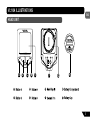
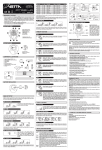
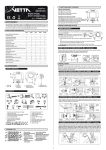
BUTTON FUNCTIONS
ENG
SETUP MODE
Button
1
Sets digits or units
Advances to the next item, screen or setting mode
Advances digits or toggles through units
Hold for fast advance
Resets RT to zero for Service Timer
Has no function in Initial Setup
Turn on the NiteLite for 3 seconds
Button
Button
1
Button
4
Button
2
Button
2
Button
Button
3
4
3
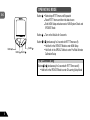
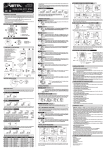
OPERATING MODE
Button
1
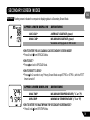
Scrolls through Lower Screen Modes
Scrolls through Freeze Frame display screens
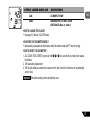
Hold 2 seconds in SPD/TMP Mode to display Maximum and
Minimum Temperature
Hold 2 seconds in SPD/CAD* Mode to display Average and
Maximum Cadence ( *T2X model only)
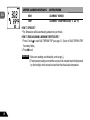
Hold 2 seconds in STP/ID Mode to switch to STP/IA Mode (or
hold 2 seconds in STP/IA Mode to switch to STP/ID Mode)
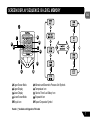
Button
2
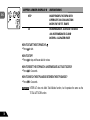
Scrolls through Upper Screen Modes
Press and hold 2 seconds in any Upper/Lower Screen Mode
to activate Freeze Frame memory
5