1
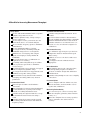
A Checklist for Increasing Measurement Throughput
Sweep Speed
Use the widest IF bandwidth with acceptable
dynamic range and trace noise
For better dynamic range, change setup to
bypass coupler loss
Use the highest source power that does not
overload the device or network analyzer
Choose smaller frequency spans to minimize
band switches
Use the minimum number of points
Use swept list mode, including setting IF
bandwidth and power for each segment
Minimize use of averaging, and compare
speed of averaging vs. using smaller IF
bandwidth
Choose the fastest type of calibration for
required level of accuracy
For tuning while using full two-port calibration, try fast two-port mode to minimize
reverse sweeps
Try using alternate sweep instead of chopped
mode for improving dynamic range
Use swept mode instead of stepped mode and
minimize sweep time when possible
Turn off unnecessary functions like markers,
averaging, smoothing, limit tests, unused
parameters
Instrument State Recall
Turn off spur avoidance and hardware
corrections
Turn off display (for newer network analyzers)
For automated test, try using learn strings
instead of recalling instrument states
Consider using uncoupled channels to set up
two instrument states instead of using a
recall
Consider using list frequency mode instead
of recalling instrument states with different
frequency ranges
Automation and Data Transfer
Consider using internal automation where
possible
Use fastest data format for data transfers
Use any available fast data transfer commands
Transfer minimum amount of data needed
Consider whether to use internal error correction or to use an external computer for
calculations
Measurement Accuracy
Use calibration type that gives you the best
compromise between measurement speed
and accuracy
Calibrate as close to the device under test
as possible
Use adapter-removal calibration where
appropriate
Device Connection
Part handlers may speed connection time,
but will probably require test fixtures
Be aware of fixture design and calibration
considerations
Consider using multiport test sets to simplify
connections
Instrument Uptime
Choose analyzer with low failure rate, fast
turn-around time, and reasonable cost for
repairs and calibrations
Maintaining Product Quality
Use easiest ways to collect necessary data
from the analyzer (printouts, data transfers
to PCs, etc.)
Make sure analyzer has necessary specifications to guarantee the desired level of
accuracy
21