1
Personal Climber Owner’s Manual
Page 7
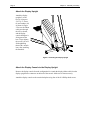
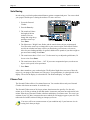
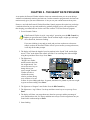
Attach the Handrails
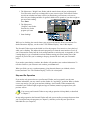
Slip the left (6) and right (7) handrails over the plugs on the top of the rear feet. They will probably
fit tightly; if necessary, use a spray cleaner as a lubricant. Rotate the handrails into the clamp
bracket at the top of the display console upright (5). Slip the handrail clamp bracket (12) behind
the handrails, as shown in Figure 3. Line up the holes and attach the bracket and handrails to the
display upright using two 5/16” by 2” screws (8) and nuts (11).
Figure 3 - Attaching the Handrails
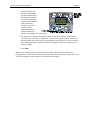
You should now use a wrench to finish tightening the screws at the bottom of the display console
upright. See Figure 2.
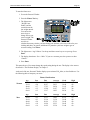
Attach the Optional Water Bottle Holder
If you have the optional water bottle holder, attach it to the console back plate using three #10
Phillips-head screws.
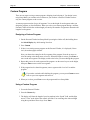
Important: If you don’t use the water bottle holder, you must still put the three screws in the open
holes to protect the electronics on the back of the console from the environment.