1
1.5
Miscellaneous
1
HDD Format
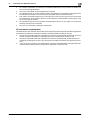
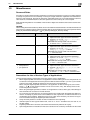
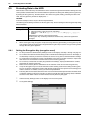
Execute HDD format when, for example, to initialize the HDD (to be reset to the default state) or when the
HDD is replaced with a referent one. Executing HDD format deletes data saved in the machine’s HDD.
For details of items that are cleared by HDD Format, see page 1-11.
HDD formatting turns [OFF] the Enhanced Security Mode. So, it must be turned [ON] again. For details
of settings, see page 2-5.
Upgrading of the firmware
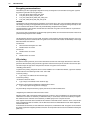
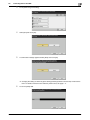
If upgrading of the firmware has been performed by the service engineer, the Administrator of the machine
must execute [Restore All]. Execute [Restore All] after the firmware has been upgraded. For details of the execution of [Restore All], see page 2-28.
For details of items of data to be cleared by [Restore All], see page 1-11.
The execution of [Restore All] will turn [OFF] the Enhanced Security Mode. So, it must be turned [ON]
again. For details of settings, see page 2-5.
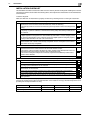
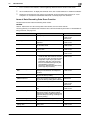
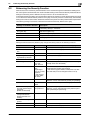
Software used in the machine
The following lists the types of software and their versions used for the ISO15408 evaluation for this machine.
The user should appropriately manage the software used with the machine on his or her own responsibility.
Software
Version, etc.
OS (Operating System)
Windows 7 Professional SP1
Internet Explorer
Ver. 10
Mozilla Firefox
Ver. 27.0.1
Printer Driver
KONICA MINOLTA C3850 Series
• PCL6 Ver. 1.1.1.0
• XPS Ver. 1.1.0.0
PageScope Data Administrator
with Device Set-Up and Utilities
Ver. 1.0.06000.03221
PageScope Data Administrator
(plug-in)
Ver. 4.1.25000.07251
TWAIN Driver
Ver. 1.0.0.0
IC card reader driver
AU-201_V2.1.02000 (for AU-201)
AU-201H_V2.1.00000 (for AU-201H)
bizhub C3850/C3350
1-12