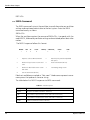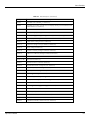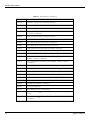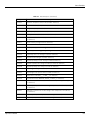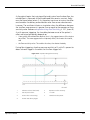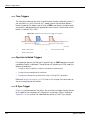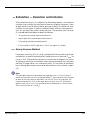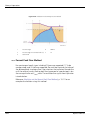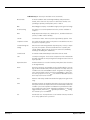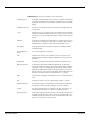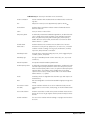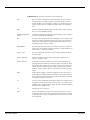
1
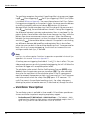
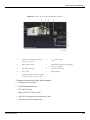
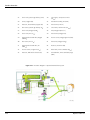
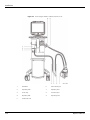
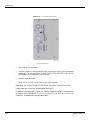
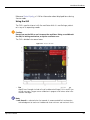
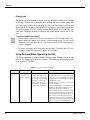
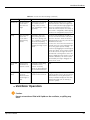
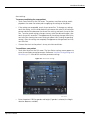
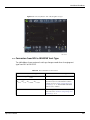
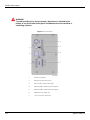
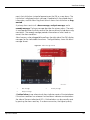
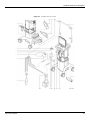
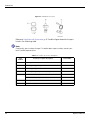
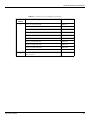
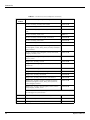
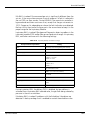
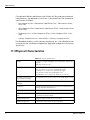
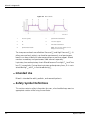
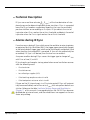
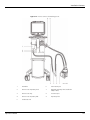
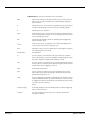
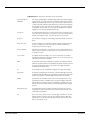
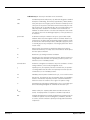
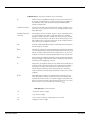
Ventilator Shutdown Reference Status Display, p. 2-28 for information about displayed items during Service mode. Using the GUI The GUI is used to interact with the ventilator while it is ventilating a patient or in any of its operating modes. Caution: Do not lean on the GUI or use it to move the ventilator. Doing so could break the GUI, its locking mechanism, or tip the ventilator over. The GUI is divided into several areas. Figure 4-1. Areas of the GUI 1. Prompt area — Located beneath the waveforms. Any prompts or messages display here. Examples include soft and hard bound messages, PAV+ and IE Sync startup messages, Oxygen sensor calibration in progress and various other informational messages. Note: A soft bound is a selected value that exceeds its recommended limit and requires acknowledgment to continue. Hard bounds have minimum and maximum limits Operator’s Manual 4-3