1
BroadAccess Maintenance Guide
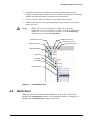
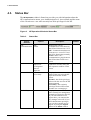
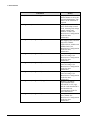
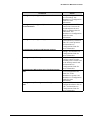
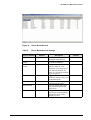
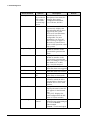
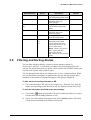
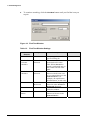
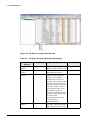
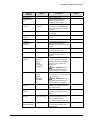
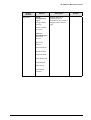
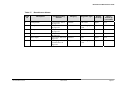
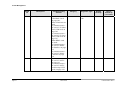
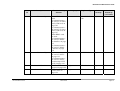
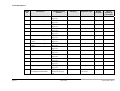
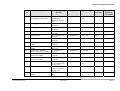
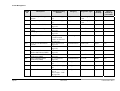
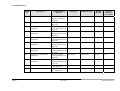
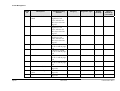
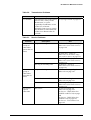
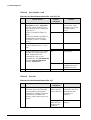
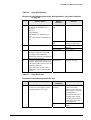
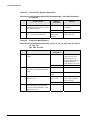
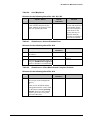
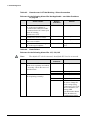
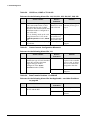
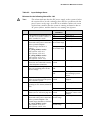
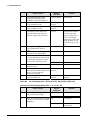
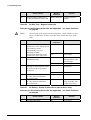
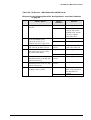
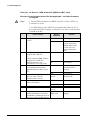
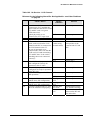
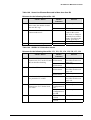
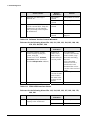
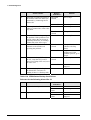
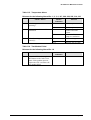
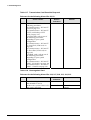
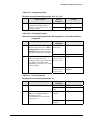
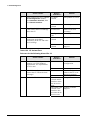
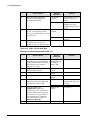
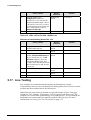
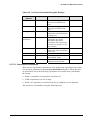
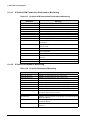
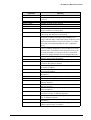
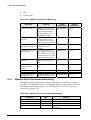
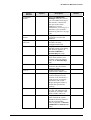
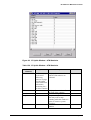
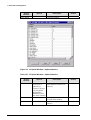
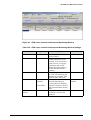
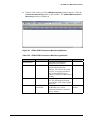
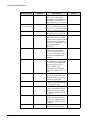
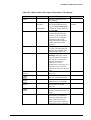
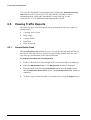
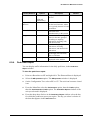
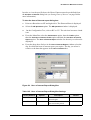
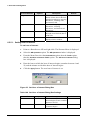
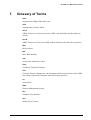
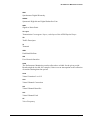
Screen
Element
Options
Exit button
Configuration
tree
Checkbox
column
Selected
Cleared
ID column
Description
column
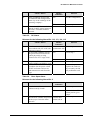
Category
column
Originator
column
Default column
Current column
Modify To
column
<Click>
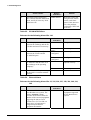
Critical
Major
Minor
Warning
Disabled
Modify To box
Critical
Major
Minor
Warning
Disabled
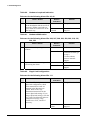
Modify NEs
button
Copy to NEs
button
File Options
button
Restore
Defaults button
P/N 760-000731 Rev A
Load Severities
Save Severities
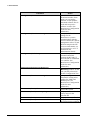
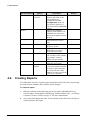
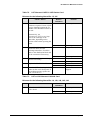
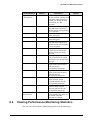
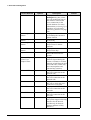
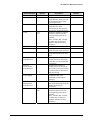
Description
Closes the window
Displays the NE whose
alarm configuration is
displayed in the table
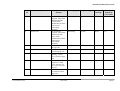
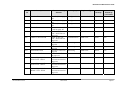
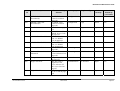
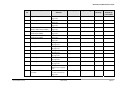
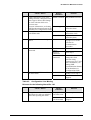
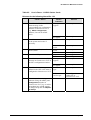
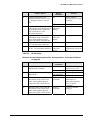
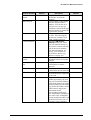
Applies the severity level
you select in the Modify To
box to all alarms selected in
the table
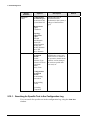
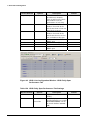
Displays each alarm's unique
ID number
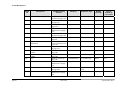
Displays a description of the
alarm
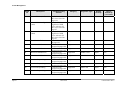
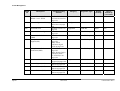
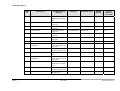
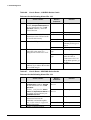
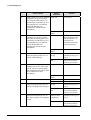
Displays the alarm category
to which the alarm belongs
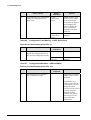
Displays the module or
interface which generates the
alarm
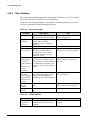
Displays the default alarm
severity for the alarm
Displays the severity level
currently assigned to the
alarm
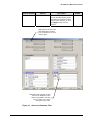
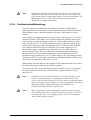
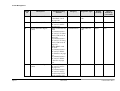
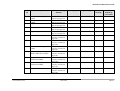
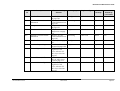
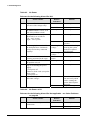
Lets you select an severity
level to assign to the alarm.
When you click on <Click>,
the rest of the options are
displayed.
Note: Disabled is only
supported by BroadAccess
system release 7 or higher.
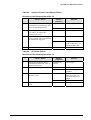
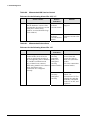
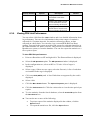
Lets you select an alarm
severity level to assign to the
selected alarms
Note: Disabled is only
supported by BroadAccess
system release 7 or higher.
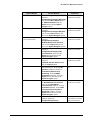
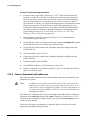
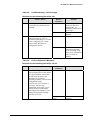
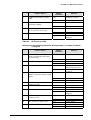
Lets user apply only the
changes to severities to all
the selected NEs
Lets user copy all the
severities to all the selected
NEs
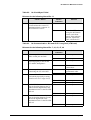
Lets you save the alarms that
appear in the table as a text
file, or load an alarm
severities text file to the NE
Restores the default severity
levels to the alarms in the
selected NE
March 2006
Default
Cleared
Page 55