1
IVI CheckManager 3000:
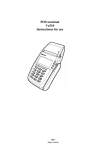
This combination terminal and check reader usually stands beside other point of sale
terminals, sometimes sharing a printer. It is dedicated to running checks and sometimes
comes pre-programmed from the vendor. This eliminates the need to add an additional
program to the VeriFone terminal that maybe dedicated to credit cards only. The program
running on the CM 3000 contains multiple configuration options that can allow it to
behave like several different standard programs for VeriFone terminals as listed in
Appendix A. Please refer to the Checkmanager 3000 chapter to obtain the details on
configuration and setup of this terminal/check reader.
Magtek:
Magtek has a special program, SET-MICR, for configuring its reader. This program has
several setup screens to choose the proper format and communications protocol.
1. From the main menu (press <F2> to display it), press <ALT>-1 to bring up the
communications parameters screen.
2. Set the parameters to 1200 Baud, 7 Bits/ Even parity
3. From the main menu (press <F2> to display it), press <ALT>-2 to bring up the
message parameters screen.
4. Select Predefined Comm Mode to send: <data> [CR][LF] (= Comm Mode 3) for a
TRANZ 3xx terminal or [STX] <data> [ETX] [LRC] (=Comm Mode 7) for a XL/XL
300 terminal.
5. From the main menu (press <F2> to display it), press <ALT>-4 to bring up the data
format screen.
6. Select the Raw Data Format (Format 00)
7. Change the substitution table to “T” “O” “A” “D” “?”
8. Change the handling of spaces to “Send all spaces”
9. From the main menu (press <F2> to display it), press <ALT>-5 to operate the program
and load the reader.
Verifone Terminals
10 - 13