1
Maintenance and Troubleshooting
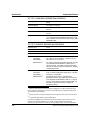
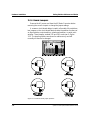
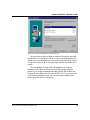
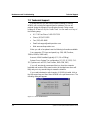
Error Messages Displayed when Loading APWIN
These cards do not have support for APWIN and are designed for
DOS software such as S1.EXE and LIB-C.
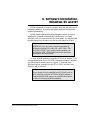
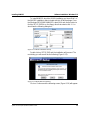
System One not properly installed or not powered on.
Will run in DEMO mode.
This message will appear if a correct interface APIB card is present
and if any of the following conditions are true: System One not
connected, System One not powered on, System One internal interface
defective, APIB interface cable defective.
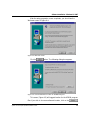
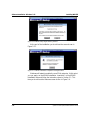
System One not properly installed or not powered on.
Will run in DEMO mode.
This message will appear if a correct interface APIB card is present
and if any of the following conditions are true: System One not
connected, System One not powered on, System One internal interface
defective, APIB interface cable defective.
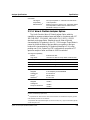
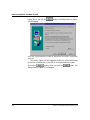
Win32s - Error
Unhandled Exception detected
Application will be terminated
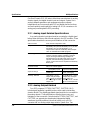
This message can be caused by not loading the Share program in
Windows 3.1 or the Vshare program in Windows 3.11. If you are
running Windows 3.1, use an ASCII editor to look at your
AUTOEXEC.BAT. You should find a line: share. (There may be a path
reference before share). This will run the share.exe program at boot time.
If this line is missing, look to see if the share.exe program is on your
computer. It will most likely be in DOS subdirectory. Add the following
line to your AUTOEXEC.BAT to run this program. For example, if
share.exe is in the dos directory, the line would look this:
C:\dos\share
If you are running Windows 3.11, vshare should have been
automatically installed with Windows. Look in your SYSTEM.INI file
under the heading [386Enh] for the line: device = vshare.386. If the line
is missing, add it and be sure that the file vshare.386 is in your
WINDOWS/SYSTEM subdirectory.
7-2
System One Description/Installation/APWIN Guide