1
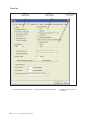
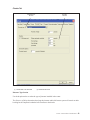
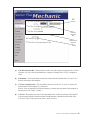
Lane Off Section
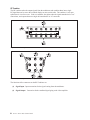
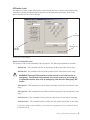
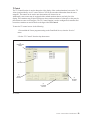
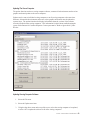
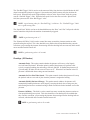
This section controls what will be displayed on the overhead monitors after the lane is turned off. The
following two options are available:
Screen Savers - When this option is select the system will display the Advertising graphics
which are used as screen savers. The Advertising graphics are stored in the C:\Brunswick\
Media\Commercial directory. Advertising graphics must be properly named. The naming
convention used by the system is: PauseX.EXT where X equals a sequential number starting
with one. Advertisements will play in this sequence. And EXT equals the extension from
one of the file formats. There are three possible Advertising graphic file formats. The system
supports the following formats:
Windows Bitmap (.BMP) - 1920x1080 (32 bit) resolution.
Vector Slideshow (.DLT) - This format is a special format that combines a series of
bitmap graphics into a animated show. Use the BMP2DLT.exe converter found in the C:\
Brunswick\Utility directory to convert bitmap graphics into Vector Animations.
MPEG (.MPG) - This format is digital video and usually comes from a source such as a
video camera. The system supports MPEG1.
TV - When this option is selected the system will display the video signal provided by the TV
distribution center when lanes are turned off.
Turn Off Overhead - When this option is selected the system will turn the overhead off
when lanes are turned off.
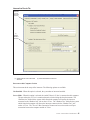
Service Options Section
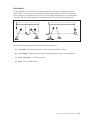
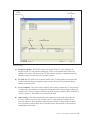
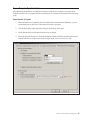
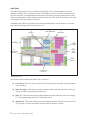
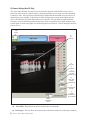
This section controls the function of the “Service” button on the scorer console. The following options
are available:
Ignore - When this option is selected the service button at the scorer will be ignored.
Intercom - When this option is selected, the service button at the scorer will place an intercom request
in the queue at the front desk and change the background of the scoresheet to the selected
service graphic.
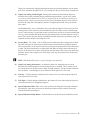
Waitstaff - When this option is selected, the service button at the scorer will change the background
of the scoresheet to the selected waitstaff graphic. When this option is selected, intercom calls
cannot be made to the front desk.
Both - When this option is selected, the bowler will get an option of selecting either intercom or
waitstaff when they select the service button at the scorer. The background of the scoresheet
will change to the waitstaff or intercom graphic as appropriate.
Vector / Vector Plus Control Desk
69