1
10.0
PROGRAM RUN Mode
In the Run Mode the ProtoTRAK LX3 drives the carriage, cross-slide and
spindle speed, and provides you with all the instructions necessary to
successfully run the part.
10.1 Enter Run Mode
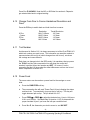
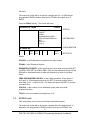
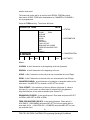
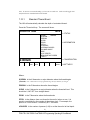
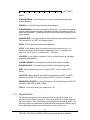
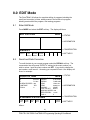
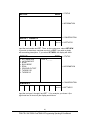
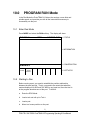
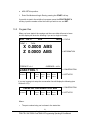
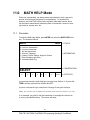
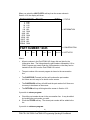
Press MODE and select the RUN soft key. The display will show:
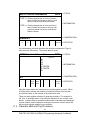
RUN P/N 12
RPM
COURSE INCH
> STATUS
> INFORMATION
SELECT
> CONVERSATION
START
> SOFT KEYS
START
EVENT #
10.2 Starting to Run
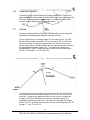
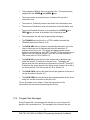
Before running a part, you need to establish the position relationship
between the part and tool. That is, you need to be certain that when the
readout displays X=0 ABS and Z=0 ABS for any input tool, then that tool is
at the program absolute zero of the part. To do this:
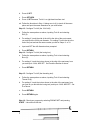
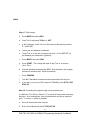
a.
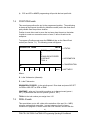
Enter the DRO Mode.
b.
Load a tool and call up its Tool #.
c.
Load a part.
d.
Move to a known position on the part.
77
Southwestern Industries, Inc.
TRAK TRL 1840 CSS & ProtoTRAK LX3 Programming Operating & Care Manual