1
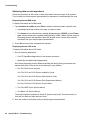
Troubleshooting based on observations
•
The remote fax machine is busy or out of paper.
•
There is no fax machine at the remote number.
Once you have checked these two possibilities, troubleshoot fax problems using the
information in this section.
Locating fax errors
For internal errors:
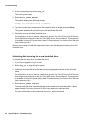
1. Check for fax errors by taking one of the following actions:
― Go to the Message Log Report (Reports > Message Log Report) and check for fax
errors or
― Type trace date FAXOOC sbFaxProc NMSIP chan # area all level all and press
Enter.
2. Provide the output to technical support.
You may also learn of errors through negative return values on a FAX action. Refer to
Interpreting negative fax values on page 21 for explanations of negative errors.
Interpreting negative fax values
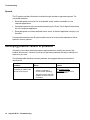
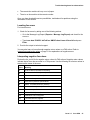
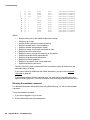
Review the fax_tool.h file for negative return values for FAX actions. Negative return values
indicate that an error has occurred in a FAX process. Use the following list of return values to
determine the cause of the error.
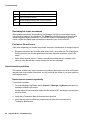
Value
Meaning
-1
Another faxit command is executing.
-2
Fax transmission failed (internal).
-3
Channel was denied (internal).
-4
File cannot be opened or does not exist
-5
There are no previous queued faxes.
-8
faxit command timed out (internal).
-12
Cannot set timer (internal).
-13
File was not specified.
-14
UNIX call failed (internal).
-15
Destination was not supplied.
-17
Command was not supplied.
-18
Return string was not supplied.
Issue 1.0
June 2004
21