1
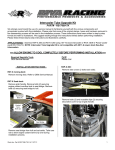
Separate electrical component support from battery
holder by prying top of support up & forward.
Secure S.C.O.M. bracket to battery holder with supplied
hardware (supplied item #2). NOTE: Do not over
tighten bolts.
Pry tabs (2) outward at sides of fuse box to remove from
electrical component support.
Move support aside to make room. NOTE: You may
need to remove zip tie(s) securing wiring harness to
support.
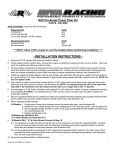
Remove bolts (2) securing battery holder to hull.
Remove battery holder.
Inside hull flip electrical component support on its side
to access voltage regulator. Disconnect black and gray
electrical connectors from voltage regulator.
Align Speed Control Override Module (supplied item #1)
with negative side of battery holder. Drill holes (2) for
mounting hardware.
Follow voltage regulator wiring harness from connectors
back to fuse boxes.
Word doc. Part # RS11090-SCOM-11 © H1 2/27/12
2