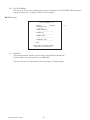
1
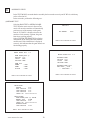
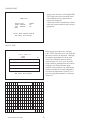
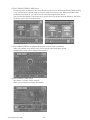
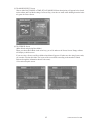
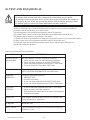
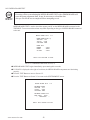
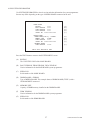
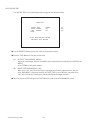
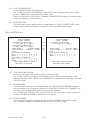
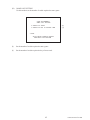
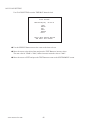
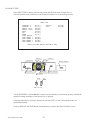
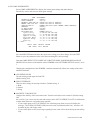
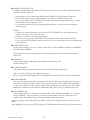
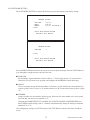
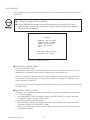
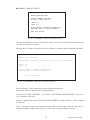
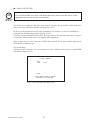
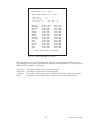
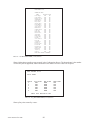
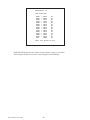
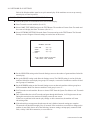
10-2E JVS TEST JVS TEST is used to verify the specs of the I/O BOARD connected to the TRIFORCE and to run input tests. I/O BOARD specs are displayed initially. �����������JVS�TEST ����������INPUT�TEST ����������NEXT�NODE ��������→EXIT NODE�������1/1 NAME�������**************** �����������I/O�BD�JVS �����������********* �����������Ver**** CMD�VER����1.1 JVS�VER����2.0 COM�VER����1.0 SWITCH�����2�PLAYER(S)��12�BITS COIN�������2�SLOT ANALOG�����8�CH ROTARY�����0�CH KEYCODE����0 SCREEN�����X:0�Y:0�CH:0 CARD�������0�SLOT HOPPER�OUT�0�CH DRIVER�OUT�22�CH ANALOG�OUT�0�CH CHARACTER��CHARA:0�LINE:0 BACKUP�����0 ��SELECT�WITH�SERVICE�BUTTON ����AND�PRESS�TEST�BUTTON Use the SERVICE Button to move the cursor to the desired test item. Move the cursor to INPUT TEST and press the TEST Button to enter the INPUT TEST screen for the I/O BOARD currently displayed. When 2 or more I/O BOARDS are connected, move the cursor to NEXT NODE and press the TEST Button to enter the test screen for the next I/O BOARD. The lower the NODE number, the further away the node is from the TRIFORCE. Move the cursor to EXIT and press the TEST Button to return to the SYSTEM MENU screen. www.seuservice.com 58