1
Rev
Description
1
SERVICE MANUAL
Date
ECO#
2/14/08
00239
Document Number:
040-00075
Form Instructions
Title
Operation
Description
Standards
Equipment
List
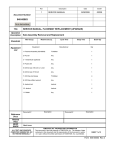
SERVICE MANUAL, WARNING LIGHT REPLACEMENT
Sub Assembly Removal and Replacement
Man Occup.
Machine Occup.
Equipment
Cycle Time
Setup Time
Manufacturer
1- Warning Light Assembly
(Specify color(s) when ordering)
Batch Qty
Qty
T3 Motion # 024-00006
1
2- Phillips screwdriver
Any
1
3- Utility knife
Any
1
4- Wood or plastic burnishing tool
or Putty knife (Approx 1 ¼” x 3 ¼”)
Any
1
5- RTV silicone sealer
Trempro 644 White or equivalent
1
6- Caulking gun
Any
1
Document #
Description
Description
Document #
Reference
Docs
Related
Files
RESP
ENGR
Mark Jones
ALL TEXT AND GRAPHICS
COMPUTER GENERATED, DO
NOT REVISE MANUALLY
T3MOTION, INC. PROPRIETARY INFORMATION
This document is the sole property of T3MOTION, Inc. The release of data
contained in this document and the reproduction of this document in whole
or in part, without the written permission of T3MOTION, Inc. is prohibited.
SHEET 1 of 11
Form 040-00075 Rev.1
SERVICE MANUAL
Item#
Part #
Description
Qty
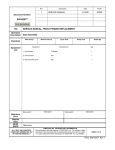
1
024-00006
SUB-ASSY WARNING LIGHT
1
T3MOTION PROPRIETARY INFORMATION
Use or disclosure of data contained on this sheet is
subject to the restriction on the cover or title page of this
document.
Document No
Revision
040-00075
1
Sheet
2
SERVICE MANUAL
Serious electrical
shock can occur
if precautions are
not followed.
• ALWAYS TURN OFF POWER BREAKER IN GLOVE BOX AND REMOVE POWER
MODULES BEFORE PERFORMING ANY ELECTRICAL WORK.
Power breaker in glove box
Power modules
• ALSO SET THE PARKING BRAKE PRIOR TO ANY WORK.
Parking brake
T3MOTION PROPRIETARY INFORMATION
Use or disclosure of data contained on this sheet is
subject to the restriction on the cover or title page of this
document.
Document No
Revision
040-00075
1
Sheet
3
SERVICE MANUAL
WORK INSTRUCTIONS:
1.0
Recommended tools for replacing the warning light assembly.
See equipment table above for more details.
2
Note - For removing the old
silicone:
If a plastic burnishing tool
is not available, a simple
wooden one can be made
from a paint stirring stick,
yardstick or other soft
wood.
If those are not available, a
standard putty knife can be
substituted.
3
4
5
6
T3MOTION PROPRIETARY INFORMATION
Use or disclosure of data contained on this sheet is
subject to the restriction on the cover or title page of this
document.
Document No
Revision
040-00075
1
Sheet
4
SERVICE MANUAL
2.0
Warning light assembly
1
3.0
Unscrew the two Phillips screws holding the warning light in place.
T3MOTION PROPRIETARY INFORMATION
Use or disclosure of data contained on this sheet is
subject to the restriction on the cover or title page of this
document.
Document No
Revision
040-00075
1
Sheet
5
SERVICE MANUAL
4.0
Carefully cut through the RTV silicone with the knife to release the old warning
light from the body. Avoid cutting into or scratching the body or paint.
5.0
Remove the old light assembly and unplug the connector. Note the lock on the
bottom that needs to be pressed to release the connector.
T3MOTION PROPRIETARY INFORMATION
Use or disclosure of data contained on this sheet is
subject to the restriction on the cover or title page of this
document.
Document No
Revision
040-00075
1
Sheet
6
SERVICE MANUAL
6.0
Use one of the recommended tools, or silicone remover, to remove the old
silicone around the opening for the light. Make sure to clean all the silicone off
the body before installing the new warning light.
Wooden burnishing tool.
T3MOTION PROPRIETARY INFORMATION
Use or disclosure of data contained on this sheet is
subject to the restriction on the cover or title page of this
document.
Putty knife.
Document No
Revision
040-00075
1
Sheet
7
SERVICE MANUAL
7.0
Test the new light assembly before installing it.
FIRST MAKE SURE THE BRAKE IS SET IN THE LOCKED PARKING BRAKE
POSITION.
7.1
Connect the connector to the light assembly making sure it is attached the same
way as the old one was.
T3MOTION PROPRIETARY INFORMATION
Use or disclosure of data contained on this sheet is
subject to the restriction on the cover or title page of this
document.
Document No
Revision
040-00075
1
Sheet
8
SERVICE MANUAL
7.2
Turn breaker in glove box On.
7.3
Turn the power key On.
7.4
Turn warning light switch On.
T3MOTION PROPRIETARY INFORMATION
Use or disclosure of data contained on this sheet is
subject to the restriction on the cover or title page of this
document.
Document No
Revision
040-00075
1
Sheet
9
SERVICE MANUAL
The light should turn on. Proceed to step 8.0.
If the light does not work, check the connection and check the battery charge
levels.
If light still does not work, contact T3 Motion at: (714)-619-3600
8.0
Install the two Phillips screws that hold the warning light in place. Start one side
and thread the screw about half way in, then thread in the other side. They
should not bind, and you may have to apply slight pressure to the front of the
light assembly to make one or both of the holes line up. Tighten securely, but do
not over tighten.
T3MOTION PROPRIETARY INFORMATION
Use or disclosure of data contained on this sheet is
subject to the restriction on the cover or title page of this
document.
Document No
Revision
040-00075
1
Sheet
10
SERVICE MANUAL
9.0
Apply white RTV silicone around the light. Only apply silicone to top of light
assembly.
Finished installation:
T3MOTION PROPRIETARY INFORMATION
Use or disclosure of data contained on this sheet is
subject to the restriction on the cover or title page of this
document.
Document No
Revision
040-00075
1
Sheet
11