1
160
Maintenance Section
Transmission System Oil and Screens - Change/Clean
5. Install the screens. Install the covers.
Fill With Oil
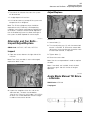
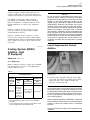
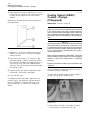
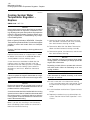
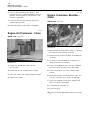
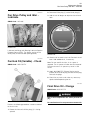
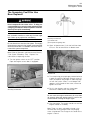
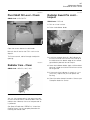
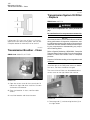
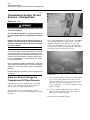
1. Open the access door for the filler cap. The filler
cap is located on the right side of the machine
next to the hydraulic oil tank.
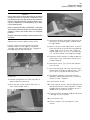
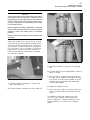
Illustration 338
g00484863
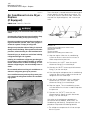
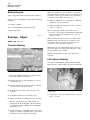
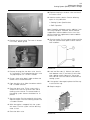
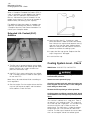
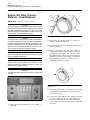
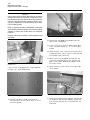
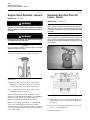
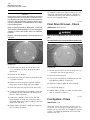
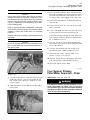
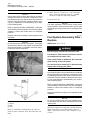
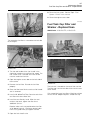
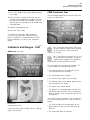
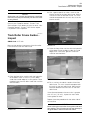
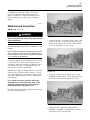
1. Remove torque converter scavenge line (1).
Remove the screen.
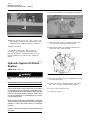
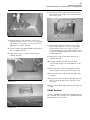
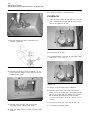
Illustration 341
g00680518
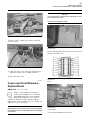
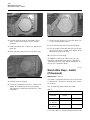
2. Remove the oil fill cap.
3. Fill the bevel gear case with oil. See Topic “Refill
Capacities” in this manual.
Illustration 339
g00484867
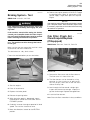
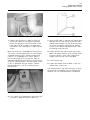
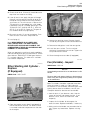
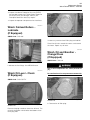
2. Remove the suction line for the power train oil
pump. Remove screen (2) from the front wall of
the bevel gear case.
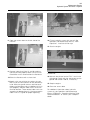
Illustration 342
g00680519
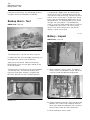
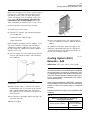
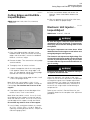
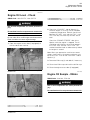
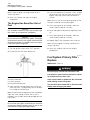
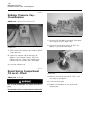
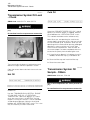
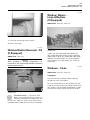
4. Always measure the oil with the dipstick.
5. Maintain the oil level within the OPERATION
ZONE marks on the dipstick. The engine should
be running at low idle. The power train should
be at operating temperature. See the Topic
“Transmission System Oil Level - Check” in this
manual.
Illustration 340
g00680664
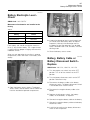
6. Clean the oil filler cap. Install the oil filler cap.
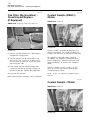
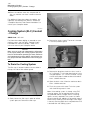
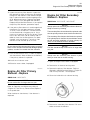
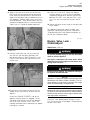
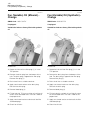
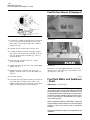
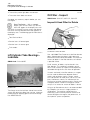
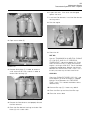
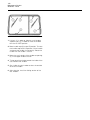
3. Remove cover (3) from the transmission
scavenge screen. Remove the screen.
4. Clean the three screens in clean, nonflammable
solvent.
7. Install the rear bottom guard.