1
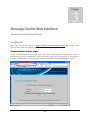
Default password information is included in the Welcome Letter sent to your Business
Group Administrator during the service processing and installation period.
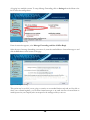
Once you have logged in to your Communications Center, select Message Center from the menu
options at the left. This allows you access to email, Voice Mail and Inbound Fax to Email messages
through a simple web interface. If this is your first time logging in you will be prompted to change your
PIN from the default value to a new number.
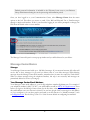
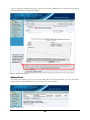
Figure 3 - Communications Center Main Page
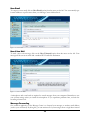
The Message Center will open in a new pop-up window and you will be directed to your Inbox.
Message Center Basics
Storage
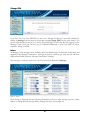
Your Message Center account holds up to 100 Mb of messages. If your account becomes full, callers will
not be able to leave messages for you until you delete some of your older messages. When deleting
messages from the Message Center Web interface, remember that you must also empty the Trash folder.
When you delete messages using the telephone interface, this step is not necessary and messages are
permanently deleted as soon as you hang up.
Your Message Center Email Address
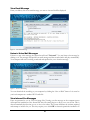
Your Message Center email address is your 10-digit telephone number @plnium.com. For example if
your telephone number is (808) 791-3017, your email address would be [email protected]. Even
before you login to the Message Center system for the first time, other people can send you messages at
this email address once your account is created. You can have people send you messages to this address
or, if you configure it, you can have people send email to an alias (known as a “friendly username”) such
as [email protected]. See the Message Center User’s Guide for more details on configuring an email alias.
7