1
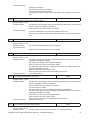
8.
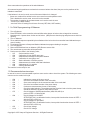
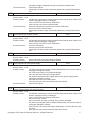
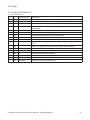
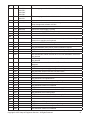
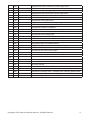
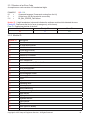
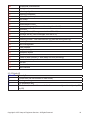
Disable left SAPE
E92
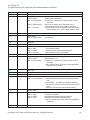
Affected models: Models with 1D-, 2D-SAPE or geodata
Service Codes : C80 (& C81) to calibrate SAPE
C92 to check distance and diameter of actual calibration
During the second attempt the inner SAPE gauge arm was again not re-placed to home position. Inner
and outer SAPE gauge arms are turned off. Wait for 5 seconds, or press STOP or ESC key to continue.
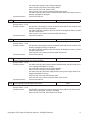
9.
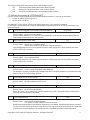
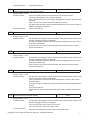
Disable right SAPE
E93
Affected models: Models with 3D-P-SAPE
Service Codes : C82 to calibrate SAPE
During the second attempt the outer SAPE gauge arm was again not re-placed to home position. Outer
SAPE gauge arms are turned off. Wait for 5 seconds, or press STOP or ESC key to continue.
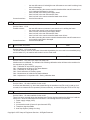
10.
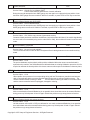
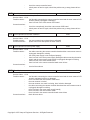
Check content of permanent memories
E145
Affected models: All models
Service Codes : C85, C86 to copy content of permanent memory
Contents of both permanent memories are different, but both contain valid data. If the trouble signalled by
the error code is not remedied (using service codes C85 or C86), the machine will remain in service code
mode.
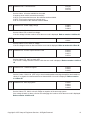
11.
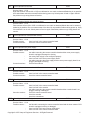
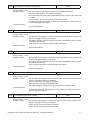
Check availability of keyboard
E300
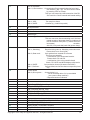
Affected models: CRT models
Service Codes : No service code available
The microcontroller was not able to detect a keyboard.Check cabling between microcontroller and keyboard.
12.
Check Optima Calibration
E360
Affected models: Models with optima hardware
Service Codes : C123
The optima hardware requires wheel profiler position calibration.When the camera controller board is
replaced on the machine, the SW detected that calibration data are missing.Calibration procedure C122 is
required to calibrate the actual position of the laser scanners with respect to the balancer reference plane,
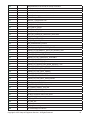
13.
Check Optima Hardware
E360
Affected models: Models with optima hardware
Service Codes : C123
Wheel profiler is not present or is not responding during self test.The balancer controller board was not
able to communicate with the camera controller board during start-up self test.Possible causes:· The
camera controller board is missing or dead.·
The flat cable connecting the balancer controller board
and the camera controller board is unplugged, damaged or missing,
14.
Check Optima Hardware
E362
Affected models: Models with optima hardware
Service Codes : C123
Main camera board self test fail.Balancing is not possible since wheel data cannot be scanned.Problem
during power up. Switch power off and on again. Should the problem not go away please call service.
15.
Check Optima inner scanner
E363
Affected models: Models with optima hardware
Service Codes : C123
Left side scanner self test fail or CCD not calibrated or zero mark not detected.Balancing is not possible
since wheel data cannot be scanned.Problem during power up. Switch power off and on again. Should
the problem not go away please call service.
Copyright © 2007 Snap-on Equipment Services. All Rights Reserved
4