1
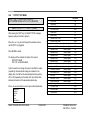
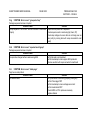
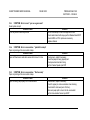
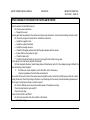
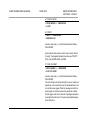
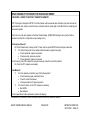
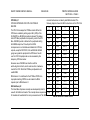
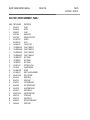
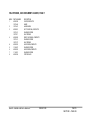
EXPECTED PAGE ONE
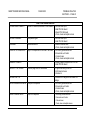
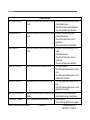
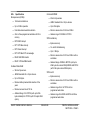
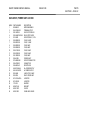
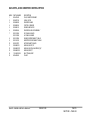
GROUP OUT OF RANGE
PAGE OUT OF RANGE
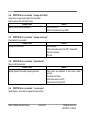
INVALID COMMAND!
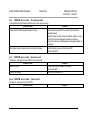
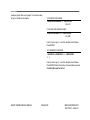
NV-RAM DATA CORRUPT
NOT ENOUGH NV-RAM
PRESETS CORRUPT
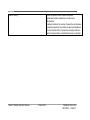
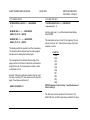
DUAL PORT RAM FAILED
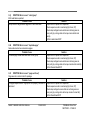
BAD ON-CHIP 8051 RAM
INVALID COMMAND
INVALID PIC INT.
INVALID SETUP DATA
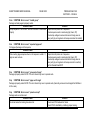
PARITY ERROR
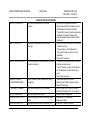
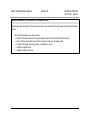
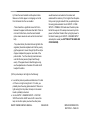
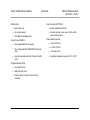
Package stopped in accumulator
1) Min. or max. value for package incorrectly
set up.
2) Up/Down sequence incorrectly set
3) Bad code
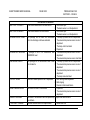
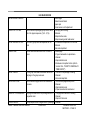
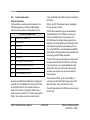
Bad Group the group ID number has changed 1) A page from another group is mixed in with
within the same package.
the same page number.
2) Misread.
The page numbers within the package are not in 1) The pages within this group are switched or
sequential order.
missing.
2) Misread.
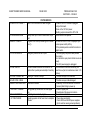
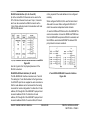
Reader board did not understand command
1) Shut down and check that all boards and
board components are well seated
2) Restart machine
3) Swap boards with known good ones
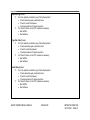
Data in the non-volatile ram was changed.
1) Power to the CPU-186 was unplugged
directly at the board.
2) Noise in the 120 VAC power.
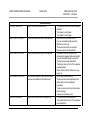
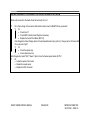
Battery back up on the CPU-186 is bad.
1) Board needs to be replaced.
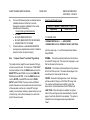
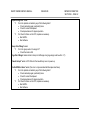
Program error internal processing error number 1) Should not occur. If error is displayed cycle
one (1).
the main power switch (off/on).
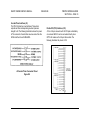
Hardware failure on reader board
1) Battery failed or battery jumper missing
2) Bad CPU-186 board
Reader board memory corrupted
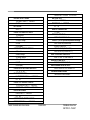
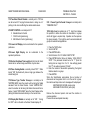
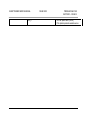
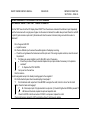
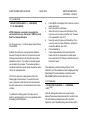
UNEXPECTED RESPONSE
SMART FEEDER SERVICE MANUAL
ISSUE 09/00
1) Restart machine
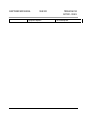
1) Actual lines of codes must match parity
setting (odd or even).
2) Bad code
1) Paper jam
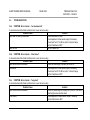
PROBLEM ANALYSIS
SECTION C – PAGE 35