1
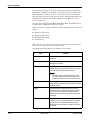
Equipment Overview Press a function key to select the corresponding menu option. Depending on the selected option, one of the following results occurs: Take an ECG For example, selecting the Resting ECG menu option opens the Resting ECG function. Change a setting For example, during a resting ECG, selecting the 25 mm/s option changes the rate of the waveform. Open a window For example, the Patient Data option opens the Enter Patient Data window. Change menu options For example, the More option displays additional menu options. Save your selections After entering data or changing a configuration, you may have the option to save your changes by selecting the Save menu option. Navigating Data Entry Windows Use the trimpad to navigate through data entry windows. Press the arrows to move the cursor left, right, up, and down through the fields. Press the center button to select the current field. If the field is associated with a list of valid values, that list will be displayed. Controlling Optional Stress Equipment If you purchased the optional stress module, use the stress keys on the MAC 1600 keyboard to control stress equipment connected to the MAC 1600. For a description of the stress keys and their function, refer to “Stress Test Keys” on page 7-5. 2028451-182B MAC™ 1600 2-13