1
6.5
Installing Software
The following software tools are available on the Sun StorEdge Professional Storage
Manager CD-ROM, provided with your array:
■
Sun StorEdge 3310 SCSI Configuration Service, a management and monitoring
program
■
Sun StorEdge 3310 SCSI Diagnostic Reporter software, a monitoring utility
■
Sun StorEdge 3310 SCSI CLI, a command line utility to download firmware and
display the event log
The Sun StorEdge 3310 SCSI Array Documentation CD-ROM provides the related user
guides with detailed installation and configuration procedures for these tools.
6.5.1
Other Supported Software
For other supported software, see the Sun StorEdge 3310 SCSI Array Release Notes.
6.5.2
Enabling VERITAS DMP
To enable VERITAS Dynamic Multi-Pathing (DMP) support on VERITAS Volume
Manager Version 3.2, perform the following steps.
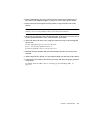
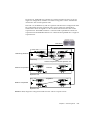
1. Configure at least two SCSI channels as host channels (channels 1 and 3 by
default) and add additional SCSI host IDs if needed.
2. Connect host cables to the I/O host ports in step 1.
3. Map each LUN to two host channels to provide dual-pathed LUNs.
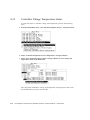
4. Add the correct SCSI string to vxddladm so VxVM can manage the LUNs as a
multi-pathed JBOD.
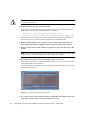
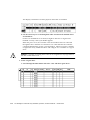
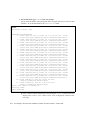
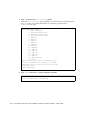
# vxddladm addjbod vid=SUN pid="StorEdge 3310"
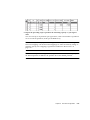
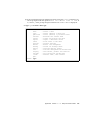
# vxddladm listjbod
VID
PID
Opcode
Page
Code
Page Offset SNO length
================================================================
SEAGATE ALL
PIDs
18
-1
36
12
SUN
StorEdge 3310
18
-1
36
12
5. Reboot the hosts. System reboot is required to implement these changes.
6-32
Sun StorEdge™ 3310 SCSI Array Installation, Operation, and Service Manual • October 2002