1
Post-Repair Procedures
Post-Repair Procedures
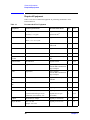
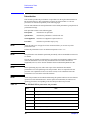
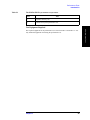
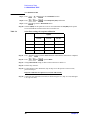
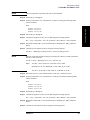
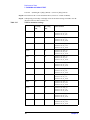
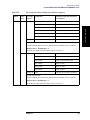
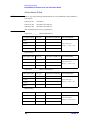
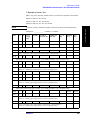
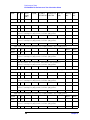
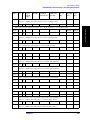
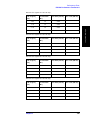
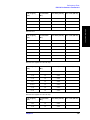
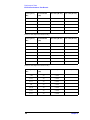
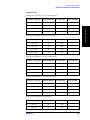
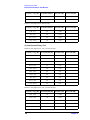
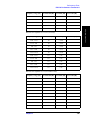
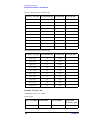
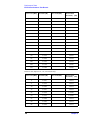
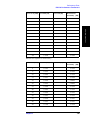
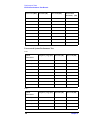
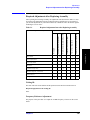
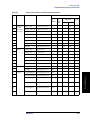
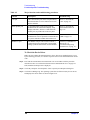
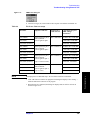
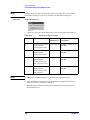
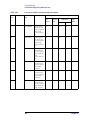
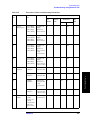
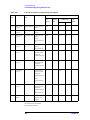
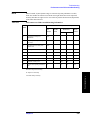
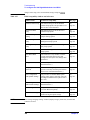
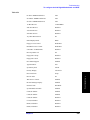
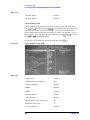
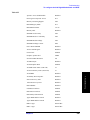
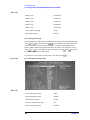
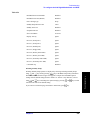
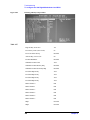
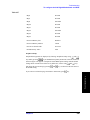
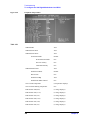
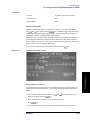
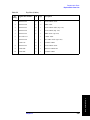
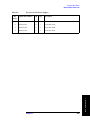
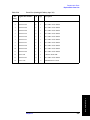
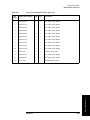
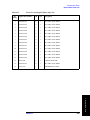
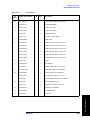
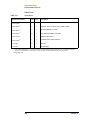
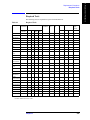
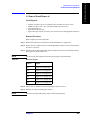
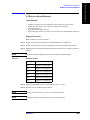
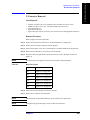
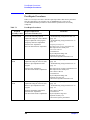
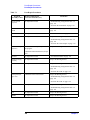
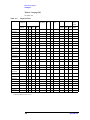
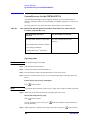
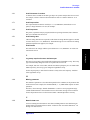
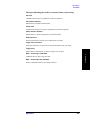
Table 7-1
Post-Repair Procedures
Replaced
Assembly or Part
Required Adjustments
Correction Constants (CC)
A22 Front Panel
Keyboard
No adjustment needed
Verification
“Troubleshooting Using Internal Test” on
page 156
“To Check the Front Panel” on page 167
A23 Handler I/O
Board
No adjustment needed
“Troubleshooting Using Internal Test” on
page 156
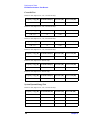
A24 GPIB Board
No adjustment needed
“To Check the GPIB” on page 176
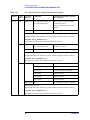
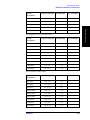
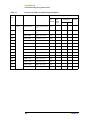
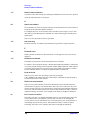
A26 Display Board
No adjustment needed
Inspect the Booting Process
“Troubleshooting Using Internal Test” on
page 156
“To Check the Video output” on page 170
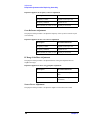
A27 Mass Storage
Disk Drive
Perform “HDD” in Spot Adjustment of
the program.
Inspect the Booting Process
Calibration of the Touch Screen (for opt.
016)
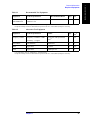
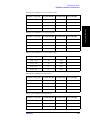
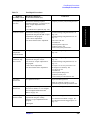
A28 FDD
No adjustment needed
“To Check the FDD” on page 170
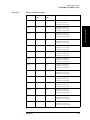
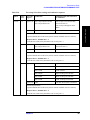
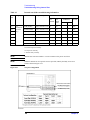
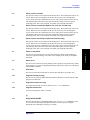
A50 Power Supply
Assembly
No adjustment needed
Inspect the Booting Process
A51 LCD
Not adjustment needed
Inspect the Booting Process
“Troubleshooting Using Internal Test” on
page 156
“To Check the LCD” on page 169
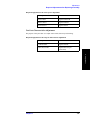
Touch panel (for
Opt. 016)
Calibration of the Touch Screen
Inspect the Booting Process
“Troubleshooting Using Internal Test” on
page 156
“To Check the LCD” on page 169
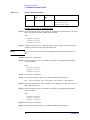
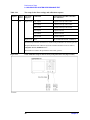
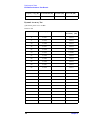
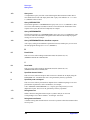
A52 Inverter Board
No adjustment needed
Inspect the Booting Process
“Troubleshooting Using Internal Test” on
page 156
CPU
No adjustment needed
Inspect the Booting Process
DIMM
No adjustment needed
Inspect the Booting Process
328
Chapter 7