1
Navigation
Route Guidance
Route Guidance
General Notes
G Warning
COMAND calculates the route to the
destination without taking account of the
following, for example:
RTraffic lights
RStop
and right-of-way signs
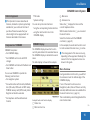
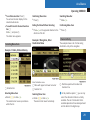
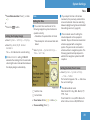
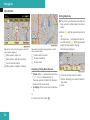
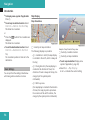
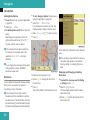
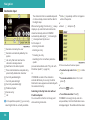
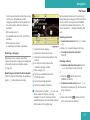
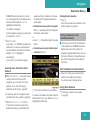
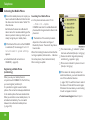
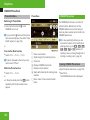
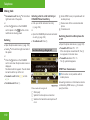
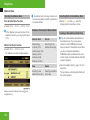
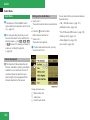
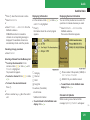
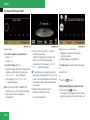
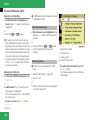
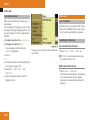
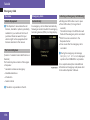
1 Information about the highlighted POI
2 Highlighted POI
RLane
merging
X
ROther
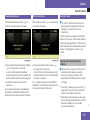
To select a POI: Select Next or
Previous.
X To start route calculation: Select Start,
see also (Y page 70).
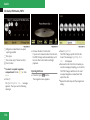
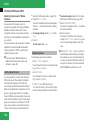
You will be asked whether the POI should
be adopted as the destination.
X Select Yes or No.
Route calculation starts if Yes is selected;
a new POI can be chosen if No is selected.
82
RParking
or stopping prohibited areas
road and traffic rules and
regulations
RNarrow
bridges
COMAND may give incorrect navigation
commands if the data in the digital map
does not correspond with the actual road/
traffic situation. For example, if the traffic
routing has been changed or the direction
of a one-way road has been reversed.
For this reason, you must always observe
applicable road and traffic rules and
regulations during your journey. Road and
traffic rules and regulations always have
priority over the navigation commands
generated by the system.
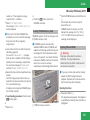
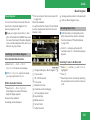
COMAND guides you to the destination by
means of driving recommendations in the
form of navigation announcements or route
guidance displays.
i The route guidance displays only appear
if the display has been switched to
navigation mode.
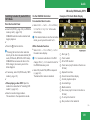
If, for some reason, you do not follow the
navigation announcements or if you leave the
calculated route, COMAND automatically
calculates a new route to the destination.
If the map data contains corresponding
information during route guidance, COMAND
tries to avoid roads with limited passability,
e.g. roads that are blocked for through-traffic
and are for residents only.
Time restrictions of roads (e.g. blocked on
Sundays and public holidays) are only taken
into account for route guidance if the digital
map contains corresponding information
during the blocked time periods.