1
EN
Note :
When inserts the disk into CD player or takes out the disk, it is necessary to let
CD player insert disk and return automatically. It is prohibited to push or take
out the disk by hand before the disk completely return from CD player, thus will
cause the machine to be broken down and unable to operate normally.
USB
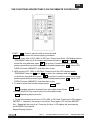
Insert USB into the insert hole of USB in the face plate.
Press CD / USB / SD on the remote control or faceplate. When the LCD display shows
USB and then it will play automatically.
SD / SDHC Card
Insert SD / SDHC Card into the insert hole in the face plate. Pull the card to get stuck
with the tenon. It then finished the assembly.
Press CD / USB / SD on the remote control or faceplate. When the LCD display shows
SD and then it will play automatically.
PAG. 5
User Manual/Manual de Instrucciones
MULTIPLAYER 2 MKII