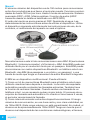
1
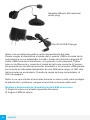
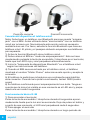
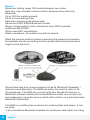
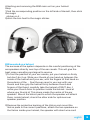
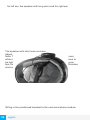
and attach it to the side of the helmet.
4.Operation:
pairing with your Bluetooth phone for the first time
Note: You must have a Bluetooth enabled phone to “pair”with the
BIM The rider and pillion pairing their headsets with their
respective mobile phone should be at different time,
Before using the BIM, please familiarize yourself with Bluetooth
function of your cell phone.Read the instruction manual that came
with the phone so you can enable its Bluetooth function.
Before you can use this BIM in combination with your phone, you
will need to“pair”it with your cell phone for the first time. This.
usually only needs to be performed once with that individual
phone however follow the instructions supplied by the phone
manufacturer and save the “pairing”so it will be automatically
connected when this phone and the BIM come into contact again.
1)Enable the Bluetooth function on your cell phone.
2)You must place the BIM in “pairing mode”,this is done by way of
a holding down the power/lnterphone key on the headset, until
the red & blue LED flash alternately.
3)Begin the “searching for Bluetooth device”on the cell phone
according to the phone’s instructions
4)when the BIM is discovered, the cell phone will display Motor
Phone select this and accept the connection
5)The cell phone will ask you to input a pssword to enable this
connection, when prompted input password:0000(four zeros)
6)Your phone will confirm that pairing has succeeded. Note that
the only light showing on the headset is now the blue one and it
will flash once every 5 seconds
Basic B.I.M Operation
1) Turn on
Press the power/lnterphone key for 6 seconds or so, until the blue lamp
illuminate, promptly release the press power/lnterphone key, then the
blue LED will flash every 5 seconds.
2) Turn off
Press the power/lnterphone key for 6 seconds until the blue lamp long
illuminate, promptly release the power/lnterphone key then the blue led
will extinguish.
3) Increase the volume
Short press of the V+key
4) Reduce the volume
english
21