English
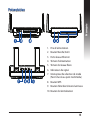
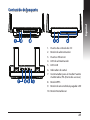
Quick look
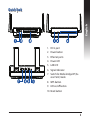
1. DC In port
2. Power button
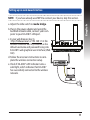
3. Ethernet ports
4. Power LED
5. LAN LED
6. Signal Indicator
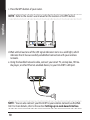
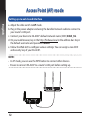
7.Switch for Media bridge/AP (Access Point) mode
8. WPS button
9. LED on/off button
10.Reset button
3