1
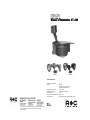
Contents of Accessory Kit
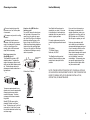
How Does the STEALTH Work?
• 2 Lens Masks
• Indoor Switchplate Label
• 3 Wire Nuts
Stealth’s infrared sensor “sees”
small temperature changes caused
by the motion of people or cars
within its protection zone and turns
on lights automatically. It welcomes
visitors and may deter intruders.
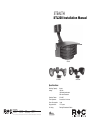
STL200
How long do the lights stay on?
Lights remain on as long as there is
movement within the protection
zone. Once the zone is vacated
lights can be adjusted to remain on
approximately 5 seconds up to 12
minutes. Since the lights are on
only when needed, and the sensor
uses only one watt the Stealth is
extremely energy efficient.
• Crossbar
with Green Ground Screw
• Hanging Hook
• 1/2" Close Up Plugs (3)
• Slotted Screws (4)
• Finishing Cap
• O-ring Gasket
• Center Mounting Screw
Can outdoor lights still be turned
on with the light switch?
Yes. Stealth can be controlled by a
conventional indoor switch or circuit
breaker. Lights can be turned on or
off manually at night only.
Manual Override Mode:
(to keep lights on) Flip the switch
twice slowly (off-on-off-on) within
2–3 seconds.
To Resume Automatic Mode:
Flip the switch once (off-on) within
2 seconds. Sensor will reset to
Automatic Mode.
• Foam Gaskets (2)
• Metal Plate
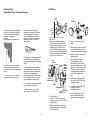
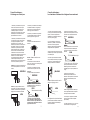
Masking the Lens
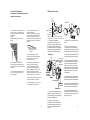
How are the Time, Sensitivity and
Photocell adjusted?
Time: Sets the time that lights
will remain on after the detection
zone is vacated from approximately
5 seconds to 12 minutes.
Factory Setting: 5–8 minutes
Sensitivity: Increases or
decreases the responsiveness
and range of the sensor
(Adjusts from 30% to 100%)
Factory Setting: 100%
Photocell: Located behind the
lens. For night only operation, turn
the knob all the way clockwise to
(to the moon symbol). For 24 hour
operation turn the knob all the way
counterclockwise (sun & moon).
Adjust clockwise to have the sensor
come on later at dusk, counterclockwise to have it come on earlier.
Factory Setting: Night Only
Control Panel:
Will Stealth detect animals?
Stealth may detect large animals.
Having animals trigger the sensor
can give property a “lived-in” look.
However, you can limit animal
detection by turning down the
sensitivity knob and/or by using
the plastic lens mask supplied
on the lower part of the lens.
13
2