1
Technical Support
Sepam 2000 Device Support in System Manager™ Software
Bulletin No. 3080IB9802R3/99
3/99
TECHNICAL SUPPORT
If you have questions about POWERLOGIC software, first look in the related
product documentation. If you cannot find the answer, contact your local
Schneider Electric sales representative.
FEATURE SUPPORT FOR
SEPAM 2000 DEVICES
This section describes the features that SMS supports for Sepam 2000
devices and the features that SMS does not support. For specific instructions
on using these features in SMS, refer to the SMS User’s Manual. For SMS
version 3.1 users, see the SMS online help.
SMS supports the following features for Sepam devices:
• Control outputs
• Custom quantities
• Device clock resets
• Health checks
• Historical data and reports
• Interactive graphics
• PC logging and alarms
• Real-time instantaneous readings
• System communications test
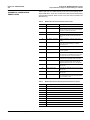
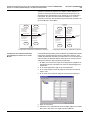
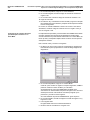
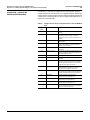
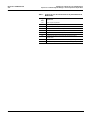
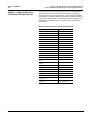
• Real-time data tables—The Sepam Service Update includes a standard
table with 20 standard quantities for Sepam devices. This table has been
translated into French and Spanish. To use the French or Spanish version
of this table, follow these steps:
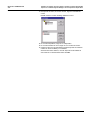
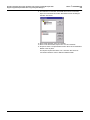
1. Using Windows Explorer, open the Sepam Service Update folder to
the French or Spanish directory.
2. Drag the .PLTable file to the C:\SMS-3000\Table directory on
your computer.
The filename for French translation is Sepam indications.PLT.
The filename for Spanish translation is Lecturas del Sepam.PLTable.
The table can now be displayed in SMS. See “Sepam Standard Table
and Quantities” on page 9 for more information on tables.
If you want to create other tables and display data in table format, you
must do two things:
1. Define custom quantities for each of the values you want to include in
a table.
2. Create a table using the SMS table creation utility.
For instructions on creating custom quantities and tables see “Creating
Custom Quantities” and “Creating Custom Tables” in the bulletin
Addendum for Modbus® and Jbus Support in System Manager™
Software. For SMS version 3.1 users, the MODBUS/JBUS information is
included within the SMS version 3.1 help system.
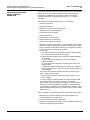
SMS does not support the following features for Sepam 2000 devices:
• Barcharts and meters (SMS does support barcharts and meters added to
a GFX diagram)
• Diagnostic register reads and writes
• Pre-defined logging templates (however, you can define custom
logging templates)
2
© 1998 Schneider Electric S. A. All Rights Reserved