1
Bulletin No. 3080IB9802R3/99
3/99
Setting the Alternate Var Sign Convention
in the Power Meter
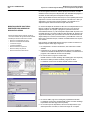
Important Information About Using Sepam 2000 Devices in a POWERLOGIC System
Sepam 2000 Device Support in System Manager™ Software
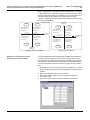
Sepam 2000 devices and POWERLOGIC Power Meters use opposite sign
conventions for var readings. You can change the default var sign convention
to the alternate in the power meter so that the Sepam device and the power
meter use the same var sign convention.
To begin reading and writing the registers:
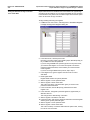
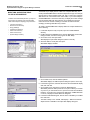
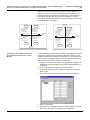
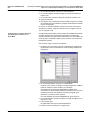
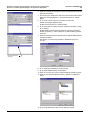
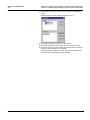
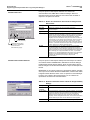
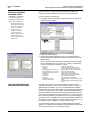
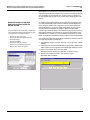
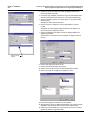
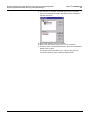
1. In SMS from the Control menu, click Diagnostics > Read/Write Registers
to display the Diagnostics Registers dialog box.
2. In the Devices box, click the power meter.
Each time you write a register in the following steps, SMS will prompt you
for you SMS user name and password.
If you are using POWERLOGIC (SY/MAX) protocol to the power meter,
you must first read register 7715. This is the request to access the
protected command interface, which enables you to read and write
certain registers.
If you are not using POWERLOGIC protocol, skip to step 4.
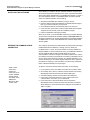
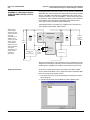
3. In the Register box, type the register command code 7715 and
click Read.
4. Read register 2028.
Register 2028 contains the system password.
5. Write to register 7721 the password value.
6. Write to register 7720 the value 2020.
This is the “enter setup” command which gives you access to the
protected command interface.
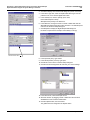
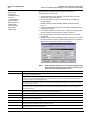
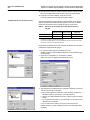
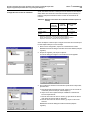
7. In the Format box, click the Bin (binary) radio button and read
register 7755.
8. In the Value box, change Bit 0 (the least significant, rightmost bit) to
alternate value of 1.
This changes to the alternate sign convention
9. Write to register 7755 with the new value.
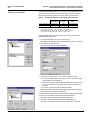
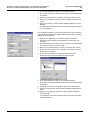
10. In the Format box, click the Dec (decimal) radio button and read register
2028 to get the system password again.
11. Write to register 7721 the password value.
12. Write to register 7720 the value 2050.
This is the “exit setup” command. SMS resets the power meter, causing
it to use the new convention.
© 1998 Schneider Electric S. A. All Rights Reserved
5