1
Using the Nintendo DS
Basic Touch Screen Controls
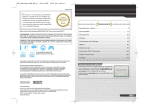
You will control this software using the stylus. Tap and slide the stylus on
the Touch Screen while training.
There are two types of basic controls using the Touch Screen.
Tap
Press down lightly on the Touch
Screen with the stylus.
Slide
Lightly draw a line by sliding the
stylus across the Touch Screen.
Top Screen
L Button
R Button
Cautions about the Touch Screen
Bottom Screen
(Touch Screen)
START
Please use the stylus that came with the Nintendo DS system or follow what is
instructed in the software when controlling the game on the Touch Screen.
Do not use a stylus that is scratched or bent.
SELECT
Do not slide or press hard on the Touch Screen.
*Press START + SELECT + L Button + R Button at the same time to return to the
title screen (see page 13).
Do not use your nails on the Touch Screen.
*Close your Nintendo DS to put the game into Sleep Mode and minimize battery
usage. Open your Nintendo DS to take the game out of Sleep Mode.
Do not drop sand, dirt, or food crumbs on the Touch Screen.
10
Do not use the stylus on the top screen.
When applying a manufactured protective sheet to the Touch Screen, read the
instructions carefully and make sure that no dirt or air pockets become trapped.
11