1
Getting Started
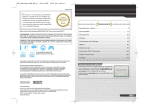
Check that the power on the Nintendo DS system is turned off and insert the
Flash Focus: Vision Training in Minutes a Day Game Card into the DS Game Card
slot until you hear it click.
Title Screen
Tap the entry that you want to choose on the
Touch Screen.
1 After you turn the power on, the screen
pictured on the right will appear. Read the
contents and tap the Touch Screen.
2 Tap Flash Focus on the DS Menu Screen and
the title screen will appear.
*When the settings on the DS system are
set to Auto Mode, this step will be skipped.
Please check your Nintendo DS Instruction
Booklet for more information.
Daily Training (page 14) Perform exercises that will train your Focus Abilities.
Quick Play (page 23)
You can choose one type of training.
Download (page 24) You can send Quick Play to another Nintendo DS system.
Saving and Erasing Data
This software will automatically save training
results and other information to Personal Data
save files. When you want to erase a Personal
Data save file, after choosing that file, choose
Others, then Erase Personal Data, from the Main
Menu (see page 15). Remember, data that has
been erased cannot be restored!
*Only the results of the first Eye Age Check of the day will be recorded.
12
13