1
Menu
26
25
Prog
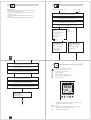
Setting of this programmable timer is depending of the user preference to
use pre-set programs or defining own programming.
Sequence to follow after selecting programming by pre-set programs or
Menu mode.
Using Pre-set programs (first time installation)
Set display format 24h or am/pm
Using Reset key you can adjust the
following values:
+
-
Res. Menu OK
24h or am/pm:
+1h
Time (hour and
minutes):
see pg 26
Week day:
see pg 27
Pre-set programs
P01 to P03:
see pg 27
14
16
1
2
3
4
5
6
7
see pg 26
1
1
2
18
+
20
-
Res. Menu OK
22
+1h
24
Select 24h or am/pm (+/-) and confirm with OK.
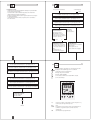
User defined programming by Menu mode
Set hour
Using Menu key you can adjust /
review the following values:
+
-
Res. Menu OK
24h or am/pm:
+1h
Time (hour and
minutes):
14
see pg 26
see pg 26
Week day:
see pg 27
Programs P--:
see pg 27
16
1
2
3
4
5
6
7
1
1
2
18
20
+
-
Res. Menu OK
22
+1h
24
Select hour (+/-) and confirm
with OK.
GB
Prog.
27
P01: Mo - Su, 1 x ON/OFF
Set minutes
14
16
1
2
3
4
5
6
7
28
1
1
2
ON
0
6
22
24
18
+
20
-
Res. Menu OK
P01: Mo - Su, 2 x ON/OFF
22
+1h
24
ON
Select minutes (+/-) and confirm
with OK.
0
7
12
14
20
24
P01: Mo - Su, 3 x ON/OFF
ON
Set week day
14
16
1
2
3
4
5
6
7
1
0
1
2
7
12
14 18
20 22
24
Programs P01-03
The switching on and off times for
programs P01 to P03 are preset
(pre).
The user can change these programs.
Individual program, P-Under the menu option P-- you have
the option of creating a user-defined
program.
This program can be changed at
any time. There are up to 20 memory locations available for 10 OFF
and 10 ON commands.
You can allocate a corresponding
weekday or week block to each
memory location.
18
20
+
-
Res. Menu OK
22
+1h
24
Select week day (+/-) and confirm
with OK.
1 = Monday
2 = Tuesday
3 = Wednesday
4 = Thursday
GB
5 = Friday
6 = Saturday
7 = Sunday
Note:
For two channels version pre-set
program is established in the two
channels.