1
Set your Printing Preferences
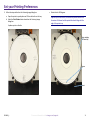
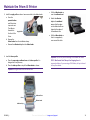
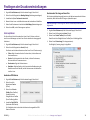
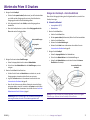
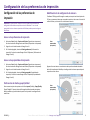
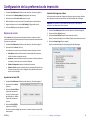
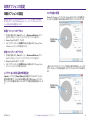
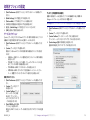
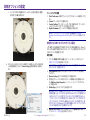
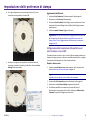
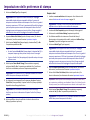
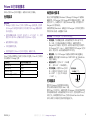
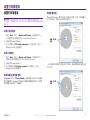
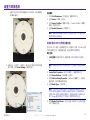
5. Follow the steps outlined on the Centering Image dialog box:
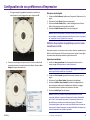
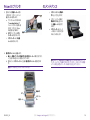
a. Open the printer tray and place one 120mm white disc on the tray.
b. Select the Print Pattern button located on the Centering Image
dialog box.
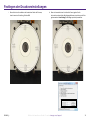
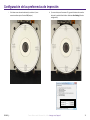
A pattern prints on the disc.
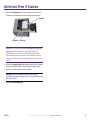
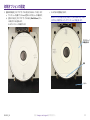
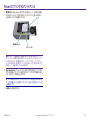
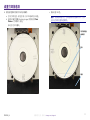
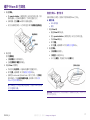
c. Rotate the disc 180 degrees.
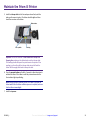
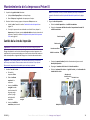
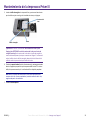
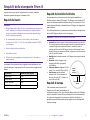
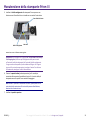
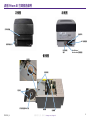
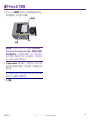
Tip: After you rotate the disc, the arrow that printed should be in
the center of the bezel and the printed line should align with the
edge of the printer tray.
Align with Edge
of Printer Tray
Arrow
Bezel
2001809_A
For more information visit rimage.com/support
11