1
About MimioClassroom
User Guide Chapter
Description
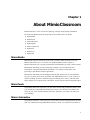
About MimioClassroom
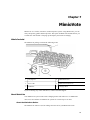
This chapter gives an overview of the MimioClassroom products,
including MimioStudio software, MimioTeach, MimioCapture,
MimioVote, and MimioView.
MimioStudio
This chapter describes how to work with MimioStudio Notebook,
Tools, and Gallery to create and deliver lessons and other presentations.
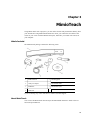
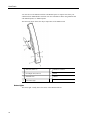
MimioTeach
This chapter describes how to set up and use MimioTeach with your
whiteboard and a projector. This chapter also describes how to use
MimioStudio in Interactive mode.
This chapter describes how to set up and use Mimio Interactive with your
Mimio Interactive
whiteboard and a projector. This chapter also describes how to use
MimioStudio in Interactive mode.
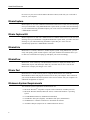
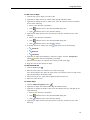
MimioCapture
This chapter describes how to set up and use MimioCapture. Included
in this chapter are instructions for capturing notes and drawings from a
MimioTeach-enabled whiteboard as digital ink using MimioCapture.
Mimio Capture Kit
This chapter describes how to set up and use Mimio Capture Kit. Included in
this chapter are instructions for capturing notes and drawings from a Mimio
Interactive-enabled whiteboard as digital ink using Mimio Capture Kit
4
MimioVote
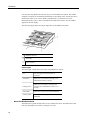
This chapter describes how to set up and use MimioVote. Included in
this chapter are instructions for creating and conducting MimioVote
activities, as well as information about setting up and using
MimioStudio Gradebook to save student grades and information.
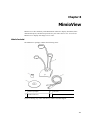
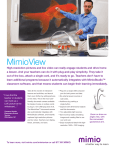
MimioView
This chapter describes how to set up and use MimioView. Included in
this chapter are instructions for displaying and annotating images in the
MimioStudio View window.
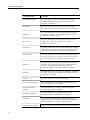
Mimio Pad
This chapter describes how to set up and use Mimio Pad.
Using MimioStudio Recorder
This chapter describes how to use MimioStudio Recorder to create
movies (with audio) of your presentations.
Sharing the Whiteboard
Remotely
This chapter describes how to share your MimioTeach-enabled
whiteboard using Microsoft NetMeeting.
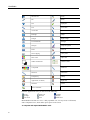
Customizing MimioStudio
This chapter describes how to customize the features of the
MimioStudio software and the MimioClassroom devices.
Getting Help
This chapter gives troubleshooting information for some common
problems, describes how to check for and install MimioStudio software
updates, and describes how to contact Technical Support.
Technical and Environmental
This chapter contains technical, certification, and safety information for