1
Setup
DATECS DPP-350
Bluetooth Setup
Bluetooth setup enables the printer DPP-350 included Bluetooth option to communicate
with other Bluetooth devices. For this purpose, use the corresponding to your device
Bluetooth manager.
The following is a brief explanation on how to [PAIR] your Bluetooth DPP-350 to PDA and
Smartphon.
BlackBerry Devices:
Add Device or Pairing Bluetooth peripherals to BlackBerry
devices require the use of the device Bluetooth manager.
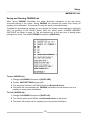
The image on the right shows a typical
BlackBerry Bluetooth manager.
WindowsMobile Devices:
Creating a New Partnership or Pairing Bluetooth
peripherals to your WindowsMobile device require
the use of the device Bluetooth manager.
The image on the right shows a typical
WindowsMobile Bluetooth manager.
Palm Devices:
Add Device or Pairing Bluetooth peripherals to your Palm
devices require the use of the device Bluetooth manager.
The image on the right shows a typical
Palm Bluetooth manager.
When adding / pairing the DPP-350 as a Bluetooth device, use the [0000] pairing
key when prompted.
21