1
Completing and Submitting Your Application
Purpose
The purpose of this section is to provide the steps to successfully complete
and submit your online application to an External Civilian job opening.
Navigation
Civilian Careers home page > Log in > Current Postings section
Quick
Reference
Procedure
Follow these steps to complete and submit your online application to an
External Civilian job opening.
Step
1
2
3
4
5
6
7
Action
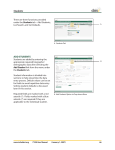
Go to the Current Postings section.
Select the checkbox for the posting for which you want to apply.
Result: the Apply Now button will no longer be grayed out.
Click on the Apply Now button.
Result: the My Profile page displays.
How to Complete the My Profile page
Use the scroll bar to the right of your screen to scroll down and
complete the following fields:
• First Name
• Last Name
• Country
• Unit/Street
• City
• Province
• Postal
• Prime Email Type
• Email Address
• Prime Phone Type
• Phone Number
• SIN Identifier
Click on the Save button.
Result: the Application Questionnaire page displays.
How to Complete the Application Questionnaire page
Complete the Application Questionnaire page by selecting the
applicable answer.
Click on the Save as Draft button to ensure your answers are
saved.
Continued on next page
External Civilian Applicant
8