1
USER’S GUIDE
2009
CDN
Table of Contents
INTRODUCTION .......................................................................................................................... 2
The Purpose of Career Cruising................................................................................................................. 2
Who Can Benefit from Career Cruising?................................................................................................. 2
Individual Career Guidance ..................................................................................................................... 2
GETTING STARTED ...................................................................................................................... 4
System Requirements.................................................................................................................................. 4
Viewing Sound and Video Clips ............................................................................................................... 4
Accessing the Career Cruising Website .................................................................................................. 4
Ensuring Fast and Easy Access.................................................................................................................. 4
CAREER CRUISING FEATURES .................................................................................................... 5
CAREER MATCHMAKER ............................................................................................................. 6
EXPLORE CAREERS ..................................................................................................................... 9
About the Career Profiles......................................................................................................................... 10
PhotoFiles .................................................................................................................................................... 11
Multimedia Interviews ............................................................................................................................... 11
EXPLORE EDUCATION & TRAINING ......................................................................................... 12
Search for Schools..................................................................................................................................... 13
Search for Programs.................................................................................................................................. 13
Apprenticeship Training............................................................................................................................ 14
U.S. Schools ................................................................................................................................................ 15
PORTFOLIO TOOL .......................................................................................................................... 16
Portfolio Tool Features............................................................................................................................... 16
Resume Builder........................................................................................................................................... 18
Creating a Portfolio................................................................................................................................... 19
Accessing a Portfolio ................................................................................................................................ 19
Portfolio Privacy ........................................................................................................................................ 19
NAVIGATING CAREER CRUISING................................................................................................ 20
Menu Bar..................................................................................................................................................... 20
Links to other Websites.............................................................................................................................. 20
PRINTING, COPYING, AND REFERENCING CAREER CRUISING.............................................. 21
HELPFUL INFORMATION ........................................................................................................... 22
CONTACT INFORMATION........................................................................................................ 23
Career Cruising User’s Guide
Page 1
Introduction
The Purpose of Career Cruising
Career Cruising has been developed with one goal in mind: making a comprehensive career guide that people
will truly enjoy using.
Back in school, we noticed a common problem among our peers—few of us knew what to do with our lives after
graduation. Our understanding of our career options was very limited, and was often based more on inaccurate
stereotypes than the reality of the working world.
To address these problems, we set out to create a career guidance resource that would have appealed to us
when we were in school. Our aim with the initial version of Career Cruising was to develop a user-friendly
program that combined comprehensive career information with the personal perspective provided by multimedia
interviews with people in every occupation.
Over the years, we have responded to the needs of Career Cruising users by adding a number of additional
features: first-class career assessment tools, a comprehensive post-secondary schools database, an
apprenticeship training section, a career portfolio tool, and helpful administrative features.
The ongoing development of Career Cruising is a labour of love for all of our staff. It is our hope that Career
Cruising will have a positive impact on the lives of everyone who uses the program.
Who Can Benefit from Career Cruising?
Career Cruising is suitable for people from age 11 to adulthood. It is a very user-friendly program and requires no
special training or expertise. Career Cruising is particularly useful for:
•
Middle school students starting to learn about various career choices and the relationship
between their schoolwork and the working world
•
Secondary school students in the 9th and 10th grades investigating occupations and developing their
career ideas
•
Secondary school students in the 11th and 12th grades making decisions about training, postsecondary study, and work
•
College and university students learning about careers related to their field of study
•
Unemployed adults and young people evaluating their options
•
Employed adults considering a career change
Individual Career Guidance
Career Cruising is designed for individual, self-directed use. This user-friendly resource helps users satisfy four
key career guidance needs: career matching, career exploration, post-secondary education planning, and
portfolio development.
Each of these sections can be used on its own. For instance, someone interested in exploring careers could
spend days simply learning about different careers and viewing the multimedia interviews with people in those
careers.
However, the sections can also be used in combination. We encourage a typical user to go through the following
steps:
Step 1: Finding the Right Career (Assessment)
Start off with the Career Matchmaker assessment. Matchmaker helps users discover their work interests and
Career Cruising User’s Guide
Page 2
Introduction
provides them with a list of suggested careers.
Step 2: Exploring Careers
Users can then click on one of the suggested careers to go to its profile within the Explore Careers section. This
section provides in-depth information on each career, including education and training requirements. Users can
also see multimedia interviews with real people in each occupation.
Step 3: Planning Education and Training
If users are interested in pursuing a particular career, they can use the Explore Education and Training section to
learn where to get the required education and training. For instance, if someone is interested in becoming a
graphic designer, they can use the Search for Programs feature to find colleges offering programs in graphic
design. They can also go directly to those school profiles by using the Related College and University Programs
links in the Education section of the graphic designer occupation profile.
Career Cruising has been designed to facilitate the progression from one section to another. For example, users
can go straight from Career Matchmaker to profiles of the careers it suggests. They can then go directly from the
Education section of each career profile to related programs in the Explore Education & Training section.
The Portfolio Tool can be used throughout the career exploration process. When using any component of Career
Cruising or participating in any other career development activities, users should be encouraged to save their
work and document their activities in their portfolio. Developing a portfolio allows users to continually build on
their previous career exploration work. Also, they will be creating a document they can use to present
themselves to prospective employers, post-secondary school admissions staff, and others.
The Portfolio Tool also includes a Resume Builder that uses the information entered into the portfolio to create
personalized resumes in a variety of formats. Users can then print their resume or export it as a Word, text, or
html file.
Career Cruising User’s Guide
Page 3
Getting Started
System Requirements
Career Cruising is an entirely web-based system, which supports a variety of browsers:
Windows Browsers
•
IE 5.0 and up
•
Netscape 7.0 and higher
•
Firefox 1.0.7 and higher
Macintosh Browsers
•
Safari for OS X 10.3 version 1.2 or higher
•
Safari for OS X 10.4 version 2.0.3 or higher
•
Firefox 1.0.7 and higher
To ensure you are able to make use of all aspects of the Career Cruising website, the following web browser
settings are required:
•
•
•
JavaScript must be enabled
Check for new versions of pages automatically
First party cookies must be enabled
Some network settings can also affect the performance of the Career Cruising website. Where proxy servers are
used, they should be set to NOT cache pages from www.careercruising.com. Also, network firewalls should
include www.careercruising.com as a trusted site.
Viewing Sound and Video Clips
To view the sound and video clips on the Career Cruising website, you must have either Windows Media Player
6.4 or higher, or QuickTime 4.0 or higher installed on your computer. If you need to download and install either
one of these programs, you can do so by using the links provided under the View Sound and Video Clips
heading in our Technical Support section. To access the Technical Support section, click on the
top menu bar.
button in the
A text transcription of the multimedia clips is also provided.
Accessing the Career Cruising Website
To access the Career Cruising website, you need a username and password. Your username and password are
listed on the first page of this binder. To log into Career Cruising, go to www.careercruising.com and type in your
username and password. Then click the Start Career Cruising button.
If you don’t know your password, contact us at 1-800-965-8541 or send us an email at [email protected].
Ensuring Fast and Easy Access
Bookmark or Add to Favourites: When you go to the Career Cruising website for the first time, make sure you
add it to your list of Bookmarks (Netscape) or Favourites (Internet Explorer). The next time you want to go to the
Career Cruising website, all you have to do is click on the Career Cruising link in your Bookmarks or Favourites.
Save Username and Password: After you have typed in your username and password, be sure to check the
Remember My Password box. This will save you the trouble of entering your username and password the next
time you use Career Cruising.
Career Cruising User’s Guide
Page 4
Career Cruising Features
Overview
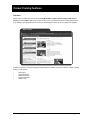
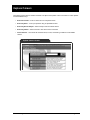
Career Cruising contains four main sections: Career Matchmaker, Explore Careers, Explore Education &
Training, and the Portfolio Tool. Each of these sections can be accessed from Career Cruising’s Main screen,
or by clicking on the appropriate button on the menu bar that appears at the top of every page in the program.
Main Screen
In addition to the links to Career Cruising’s four main sections, the Main screen also includes a number of weekly
features. These include:
•
•
•
•
•
Career Quiz
Upcoming Events
Featured Interview
Featured PhotoFile
Career Focus
Career Cruising User’s Guide
Page 5
Career Matchmaker
Career Matchmaker is a great starting point for people who want to find careers that suit their interests. Career
Matchmaker is based on one of the most respected interest assessment tools in the world. Users can go through
this interactive survey and find out how different careers ‘match up’ with their interests.
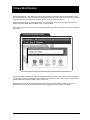
Career Matchmaker starts by asking 39 questions. For each question, there are 5 responses to choose from:
Dislike Very Much, Dislike, Does Not Matter, Like, or Like Very Much.
Note: This is just the first round of questions; answering additional questions is an option we strongly recommend
(see page 7).
Your Likes and Dislikes Screen
Career Matchmaker then provides a list of 40 suggested careers. The careers on the list are ranked according to
how well they suit the user’s interests. Users can learn more about any of these careers and find out how these
careers match their interests by clicking on the career name.
Matchmaker also provides users with suggested career clusters or career pathways. Users can click on a
suggested career cluster to see which careers from their suggestion list are included in that cluster.
Career Cruising User’s Guide
Page 6
Career Matchmaker
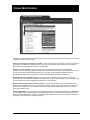
Career Suggestions Screen
In addition to exploring the list of suggested careers, there are a number of other options available on the Career
Suggestions screen. These include:
Answer more questions to improve my results – After answering the first 39 questions, users have the option
of answering an additional 77 questions (116 in total). The more questions users answer, the more effective
Matchmaker is at suggesting careers that suit their interests.
Choose a level of education – The initial list of career suggestions provided by Career Matchmaker
assumes users are potentially willing to complete any level of education and training. This feature allows users to
specify the level of education and training they plan to complete, or have already completed, and have
Matchmaker tailor their career suggestions to reflect their desired level of education and training.
Review my answers and make changes – When users click on this button, they are shown a list of their
responses to all of the questions they have been asked so far. They can make changes to any of their responses
and then update their career suggestions list based on the new responses.
See how other careers match up with my answers – If users find that careers they are interested in do not
appear on their suggestions list, they can use this feature to find out why. Users can search for any career and
then view the “Suitable for You?” information to see the specific aspects of that career to which they may not
have responded favourably.
Save to my Portfolio – We strongly recommend that users save their work after answering the first 39 questions
in Career Matchmaker and after answering any additional questions. To save Matchmaker work, users click on
the Save to My Portfolio button. If users do not already have a portfolio, they will need to create one at this point.
(See page 19 for information on creating a portfolio.)
Career Cruising User’s Guide
Page 7
Career Matchmaker
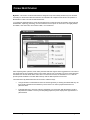
My Skills – This section of Career Matchmaker is designed to help users identify whether they have the skills
necessary for careers that match their interests. An individual must complete at least the first 39 questions of
Matchmaker in order to access the skills assessment.
To complete the skills assessment, users rate their skill level in 45 skill set areas (for example, doing small and
detailed tasks, explaining, presenting). For each skill there are five options to choose from: I am highly skilled, I
am skilled, I have some skill, I don’t have this skill, I can’t answer this..
My Skills Screen
After completing these questions, users will be presented with their original career suggestions list. The order of
the careers will not have changed; however, each career will now have a coloured icon next to it that represents
their skills score for that career. When users click on a career from their list, the “Suitable for You?” chart will
provide specific feedback on how their skills match up with the skills required for that career.
The results of the My Skills assessment can be used in 2 different ways:
•
Younger students or individuals who have not had the opportunity to develop job-related skills may use
their results to determine which skills they need to work on in order to prepare themselves for a
particular career.
•
Individuals planning to enter the workforce immediately can review their skills assessment results to
help determine whether or not they are adequately prepared to pursue employment opportunities in a
particular field.
Career Cruising User’s Guide
Page 8
Explore Careers
The Explore Careers section contains hundreds of in-depth career profiles. Users can search for career profiles
in several different ways:
•
Search for Careers – Enter a career name for a keyword search.
•
Search by Index – Look up occupations using an alphabetical index.
•
Search by School Subject – Select a subject and see related careers.
•
Search by Cluster – Select a cluster to see which careers it includes.
•
Career Selector – Use factors like education level, income, and working conditions to find suitable
careers.
Explore Careers Screen
Career Cruising User’s Guide
Page 9
Explore Careers
About the Career Profiles
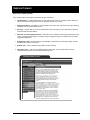
Each comprehensive career profile contains the following information:
•
Job Description – A detailed description of what people in this career do, including common tasks and
duties, skills and technology used on the job, and other aspects of the career.
•
Working Conditions – Information on where people in this career work, typical hours, and other working
conditions such as potential safety issues.
•
Earnings – General data on how much people in this career can expect to earn, related work expenses,
and factors that influence salaries.
•
Education and Training Requirements – Information on the education and training requirements for this
career, including related college or university programs, suggested high school subject areas, and other
suggested qualifications.
•
Sample Career Path – Shows how titles, responsibilities, requirements, and earnings change over time
as individuals progress in this career.
•
Related Jobs – Links to related career profiles in Career Cruising.
• Other Resources – Links to other websites related to this career, such as government resources,
professional associations, and other informational resources.
Job Description Screen
Career Cruising User’s Guide
Page 10
Explore Careers
PhotoFiles
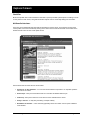
Most of the profiles also include a PhotoFile. PhotoFile is a photo-journalistic job description consisting of seven
to nine photos for each career, along with informative captions. We are continually adding new PhotoFiles.
Multimedia Interviews
Users can access multimedia interviews with two practitioners of each career. The interviews are part of the
career profiles, and can be accessed by clicking on the names in the Photos & Interviews menu located in the
bottom left hand corner of each career profile screen.
Multimedia Interview Screen
Each interview has the same structure and includes:
•
Answers to 11 Key Questions – You can view the interviewee’s responses to 11 important questions
about his or her career.
•
Sound Clips – Each person describes what he or she likes and dislikes about the job.
•
Video Clip – Each person offers his or her advice to those interested in the career.
•
A Day in the Life – A ‘daily diary’ describing a sample workday.
•
Breakdown of Activities – A time chart that graphically shows the number of hours spent at different
work activities.
Career Cruising User’s Guide
Page 11
Explore Education & Training
Career Cruising has a complete database of community college, university, and apprenticeship programs to help
users find out where to get the education and training they need. The Explore Education & Training section can
be accessed at any time by clicking on the Education button in the top menu bar.
Explore Education & Training Screen
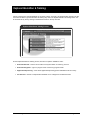
On the Explore Education & Training screen, there are four options available to users:
•
Search for Schools – Enter a school name for a keyword search or search by province.
•
Search for Programs – Type in a program name or search by program cluster.
•
Apprenticeship Training – Learn about apprenticeship training options available across the country.
•
U.S. Schools – Search a comprehensive database of U.S. colleges and vocational schools.
Career Cruising User’s Guide
Page 12
Explore Education & Training
Search for Schools
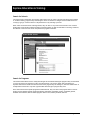
The search tools on the Search for Programs page make it easy for users to find schools offering the academic
or vocational training programs they are looking for. Users can search for colleges and universities across the
country by typing in a school name for a keyword search or by selecting a province.
When users receive their list of matching schools, they can click on any of the school names to view a school
profile. Each school profile contains important contact information, as well as information on housing, enrolment,
and athletics. Users can also access comprehensive program information.
School Profile Screen
Search for Programs
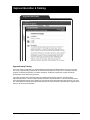
This search feature allows users to easily find colleges and universities offering the programs they are interested
in. Users can search for programs by using a keyword search or by using a cluster search. Searching by
keyword works best for users who know the name of the program they are looking for, while the cluster search is
usually better for those who only have a general idea about the type of program they want.
Once users have found a specific program that interests them, they can click on the program name to view its
profile. Program profiles typically include the following information: description, length, credentials granted,
available concentrations, links to related programs at the school, delivery methods, and fees.
Career Cruising User’s Guide
Page 13
Explore Education & Training
Program Profile Screen
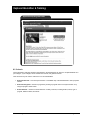
Apprenticeship Training
Users can search for information on apprenticeship training programs available within their province or across
the country. Apprenticeship programs can be searched for by keyword or by cluster. For each apprenticeship
program, the following information is provided: description, certification requirements, length, educational
prerequisites, and in-class training locations.
Users who would like more information about how apprenticeship training works can consult the About
Apprenticeship section. The About Apprenticeship information contains answers to commonly asked questions
about apprenticeship training and is available to users throughout the Apprenticeship Training section. For users
who have additional inquiries about apprenticeship training, contact information is provided for the apprenticeship
offices in all provinces and territories.
Career Cruising User’s Guide
Page 14
Explore Education & Training
Apprenticeship Program Profile
U.S. Schools
Those interested in exploring education opportunities in the United States can search a complete database of 2year colleges, 4-year colleges, career and technical schools, and graduate schools.
There are three ways for users to search the U.S. schools database:
•
Search for Schools – Use the keyword search or a clickable map of the United States to look up specific
schools.
•
Search for Programs – Search for programs by entering a program name for a keyword search or by
using the program cluster search.
•
School Selector – Search for schools based on a variety of factors, including location, tuition, type of
program, athletics offered, and others.
Career Cruising User’s Guide
Page 15
Portfolio Tool
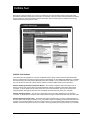
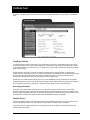
With Career Cruising’s Portfolio Tool, users can create their own online portfolio to keep track of their career
development activities and develop a career plan. The Portfolio Tool also contains a Resume Builder that allows
users to produce a customized resume using the information they have stored in their portfolio as well as any
additional information they choose to add.
Portfolio Homepage
Portfolio Tool Features
The Portfolio Tool is organized into a number of different sections. Each of these sections is described briefly
below. It is important to note that most of the sections in the portfolio can be enabled and disabled by counsellors
and teachers using the Career Advisor Management System (CAMS), so it is possible that some users at your
site may not have access to all of these features. Please consult the CAMS Guide for more information.
Portfolio Homepage (Portfolio Completion Status) – The Portfolio Completion Status bar allows users to
quickly see how much progress they have made towards the portfolio completion requirements their teacher,
counsellor, or career advisor has set. When users click on the View Details link, they can see exactly which
required portfolio development tasks they have completed and which tasks they have yet to complete.
Portfolio Homepage (Inbox) – The Inbox is a place where users can receive messages from their teacher,
counsellor, or career advisor. Users are able to retain these messages or delete them after they have been read.
Portfolio Homepage (Quick Links) – The Quick Links section includes links to a variety of important features
and information, such as tips for effective use of your portfolio, pages for updating your personal information and
changing your portfolio password, an archive of notes made by your career advisor during previous advisement
sessions, a tool for inviting others to view your portfolio, and a log showing all of the guest views of your portfolio.
Career Cruising User’s Guide
Page 16
Portfolio Tool
Portfolio Homepage (School Files / My Files) – Any electronic files (essays, scanned artwork, letters of
reference, photographs, etc.) that users would like to store within their portfolio can be uploaded, viewed, and
managed through the My Files section. Any files users upload to specific sections of their portfolio (work
experiences, volunteer experiences, etc.) will also appear in the My Files section. The School Files section
includes helpful documents and forms that have been inserted into users’ portfolios by their teachers,
counsellors, and career advisors using the Career Advisor Management System (CAMS).
Portfolio Homepage (School Links / My Links) – Whenever users come across websites that they feel may be
helpful for future career exploration and portfolio development work, they can add these websites to the My Links
section by simply entering the website name and URL, and clicking on the Save Link button. The School Links
section includes helpful websites that have been inserted into users’ portfolios by their teachers, counsellors, and
career advisors using the Career Advisor Management System (CAMS).
Assessment Results – The Assessments Results page includes two subsections: Career Matchmaker and
Other Assessments. The Career Matchmaker subsection is the place where users’ Matchmaker results are
saved. Users can see their top ten Matchmaker career suggestions and the career cluster suggestions on this
page and then click on the Go To Career Matchmaker button to go back to Matchmaker and carry on with or
make revisions to a Matchmaker session. The Other Assessments subsection provides templates for users to
save their results from common career assessments and standardized tests that they complete outside of Career
Cruising.
Careers that Interest Me – Careers that Interest Me includes a list of all the careers users have saved to their
portfolio while using the Explore Careers section. Users are able to maintain notes for all saved careers on an
ongoing basis. Careers that Interest Me also includes a subsection for storing users’ saved Career Selector
work.
Schools that Interest Me – Schools that Interest Me includes a list of all the schools users have saved to their
portfolio while using the Explore Schools section. Users are able to maintain notes for all saved schools on an
ongoing basis.
Education Plan – Users can use the Education Plan section to create a personalized 4-year high school course
plan. To add a course to their plan, users need to enter the course name, number of credits, course length, and
indicate whether or not the course is required. Site administrators can simplify the process for their users by preentering the course information through the Career Advisor Management System (CAMS). As users complete
courses, they can enter their final grades. Users may view their entire course plan and print it at any time.
Career Preparation (Career Clusters) – On the Career Clusters page, users can indicate which career clusters
they are interested in and enter comments about any of the clusters.
Career Preparation (Career Planning Activities) – The Career Planning Activities page allows users to
document all of their career planning activities (field trips, career fairs, job shadowing, etc.). For each activity,
they are able to record a description, the dates the activity took place, and the name of the event or organization
(if relevant). Users can also attach any files related to the event.
Career Preparation (Post-Secondary Plan) – The Post-Secondary Plan page helps users organize their career
and education plans. This page includes three tabs: Career Goals, Educational Goals, and Financial Plans. The
Career Goals tab includes space for users to indicate their top two preferred clusters and their top three careers
of interest. The Educational Goals tab includes a place for users to indicate the type of post-secondary education
and training they plan to complete and record the three schools they are most interested in attending. The
Financial Plan tab asks users to check off the sources of funding they intend to use to pay for their education.
Career Preparation (Career and Life Goals) – The Career and Life Goals page provides users with two large
free text fields: one for maintaining a list of their short-term goals and one for maintaining a list of their long-term
goals.
Activities & Abilities (Extracurricular Activities) – This page allows users to keep track of their extracurricular
Career Cruising User’s Guide
Page 17
Portfolio Tool
activities. To simplify the process, a large number of popular extracurricular activities are available for selection.
Users can also type in their own activities if necessary. For each activity selected or entered, users can record
the time period of their involvement and a description of the activity. They may also attach related files to each
activity.
Activities & Abilities (Hobbies & Interests) – In this section, users can maintain a list of all of their hobbies and
interests. They may select from a list of hobbies and interests, or add their own. Users can also enter notes for
each activity and hobby selected or entered.
Activities & Abilities (Skills and Abilities) – Skills and Abilities is a place where users can check off and enter
all of their skills and abilities in three areas: attributes, computer skills, and language skills. Users are able to
maintain notes for all of their skills and abilities.
Activities & Abilities (Awards & Certificates) – The Awards & Certificates page allows users to keep track of
any awards and certificates they receive. For each award and certificate entered, users record the name of the
award or certificate, the completion/award date, and a description. They can also attach related files to each
award and certificate.
Work Experiences – The Work Experiences section is where users can maintain a detailed employment history.
For each job they have held, users can record the following: job title, name of employer, location of employer,
start and end date, description of work, and the name of a company reference or supervisor. Users may also
attach related files to each job recorded.
Volunteer Experiences – In the Volunteer Experiences section, users can keep track of any volunteering they
do. For each volunteer position held, users can record the following: position title, name of volunteer
organization, location of the organization, start and end date, number of hours volunteered, description of work,
and the name of a reference or supervisor. Users can attach related files to each volunteer position recorded.
Also, a tally of users’ total accumulated volunteer experience is maintained—this tally is especially helpful for
situations where users are expected to complete a minimum number of volunteer hours.
Printer-Friendly Version – The Printer-Friendly Version feature allows users to identify the specific sections of
their portfolio that they would like to print. A printer-friendly report including only these sections is then generated
for printing.
Resume Builder
The Resume Builder is seamlessly linked together with the Portfolio Tool. To move from the Portfolio Tool to the
Resume Builder users simply click on the Resume Builder tab at the top of the column of blue portfolio section
buttons.
In the Resume Builder, users will find much of the information they have already entered into their portfolio. To
make it easy for users to quickly generate a resume, any information stored in their portfolio that may be useful
for resume creation is automatically shared with the Resume Builder. The Resume Builder also includes some
sections that are not available within the Portfolio Tool. These include:
•
Career Objective – A free text field for entering a career objective statement.
•
Education – This section allows users to keep track of their education history (schools attended, dates of
enrolment, credentials earned, etc.).
•
References – A place to enter contact details for all references.
•
Additional Information – A free text field for entering any additional information users would like to
include in their resume.
Once users have entered all of the information they wish to include in their resume, they can quickly format their
resume by clicking on the Format & View button. When formatting their resume, users can choose a resume
style, indicate which sections they would like to include in their resume, and indicate the order these sections
should appear in. After previewing their resume, users can print it or export it as a web page, a Microsoft Word
Career Cruising User’s Guide
Page 18
Portfolio Tool
document, or a plain text file. Users who have previously formatted their resume can go directly to Print/Export
page.
Resume Builder
Creating a Portfolio
To create their own portfolio, users need to go to the Portfolio Login screen. The Portfolio Login screen can be
accessed by clicking on the Create a New Portfolio link in the Portfolio Login section of the Main page, clicking
on the Portfolio button in the top menu bar, or by clicking on the Save to My Portfolio button wherever it appears
within Career Cruising.
On the Portfolio Login screen, users have the option of logging into an existing portfolio or creating a new
portfolio if they do not already have one. To create a new portfolio, users simply click on the New Portfolio button
and then fill in the required information on the form that appears. If users try to create a portfolio using a
username that already exists, they will be prompted to choose a different one.
(Please note: The Create a New Portfolio option may not be available at your site. Depending on the portfolio
implementation plan in place at your site, turning the Create a New Portfolio feature off may be recommended to
ensure that each user has one, and only one, portfolio. See the CAMS Guide for more information.)
Accessing a Portfolio
Users can access their portfolio at any time from any computer connected to the Internet. To access their
portfolio, users simply log into Career Cruising and enter their personal portfolio username and password in the
space provided on the Main page. Also, the Portfolio Login page can be accessed at any time by clicking on the
Portfolio button in the top menu bar or the Save to My Portfolio button wherever it appears.
Portfolio Privacy
All of the information that users store in their portfolio is kept confidential and secure. The only people who can
view a user’s portfolio are the user, their teacher or career advisor, and their parent or guardian.
To protect the privacy of their portfolio, we recommend that users do not share their portfolio username and
password with other people.
Career Cruising User’s Guide
Page 19
Navigating Career Cruising
Menu Bar
The menu bar across the top of each screen provides users with a quick and easy way to move to different
sections of Career Cruising from anywhere in the program.
Top Menu Bar
•
Main – Takes users to the Main screen (the first screen users come to when entering the program).
•
Matchmaker – Takes users to Career Matchmaker.
•
Careers – Takes users to the Explore Careers section.
•
Education – Takes users to the Explore Education & Training page.
•
Portfolio – Takes users to the Portfolio Login screen, where they can access an existing portfolio or
create a new one.
•
Search – Allows users to search all of the program’s career and schools information by keyword.
•
Contact Us – Provides users with Career Cruising’s contact information.
•
– Takes users to the Helpful Information section where they will find a site map, user’s guides,
prepared classroom activities, technical support information, and developer’s notes about the
information and features in the program.
Links to Other Websites
Career Cruising provides users with links to other useful websites. In the Other Resources section of each career
profile, users can find websites related to that career. There are also links to school websites in the school
profiles.
When a user clicks on a web link, a new browser window will automatically open up. This allows users to do
further research without leaving the Career Cruising website.
Career Cruising is not responsible for the content of the external web links.
Career Cruising User’s Guide
Page 20
Printing, Copying and Referencing Career Cruising
You can print and copy from the Career Cruising website in the same way as any other website.
Printing
Simply go to the browser menu at the top of the screen, click on the File button and then select Print. A standard
print screen will appear allowing you to select the printer you wish to use and other options. Click OK. This prints
the web page you are viewing.
There are several places within Career Cruising where the information you may want to print is on several
different pages. (For example, the career profiles are broken up into different sections, such as Job description,
Working Conditions, and Earnings. In these situations, look for a button labelled Printer-Friendly Report. Click on
this button before printing to organize all the pages into a single printable document.
Copying
To copy from the Career Cruising website, start by highlighting the text you would like to copy with your mouse.
Then, in the browser menu at the top of the screen, click on Edit, and select Copy. Now that you have copied the
text, open the word-processing program, such as Microsoft Word or WordPerfect, into which you would like to
paste the text. Go to the menu at the top of the screen of your word processor, click on Edit, and then select
Paste.
Referencing Career Cruising
When referencing Career Cruising in a bibliography, include the title of the section you are accessing (e.g., an
occupation name), the title of the website, the publisher, the date you accessed the information and the URL.
Suggested MLA Format:
“Biologist.” Career Cruising. Anaca Technologies Ltd. 24 Sept 2007 <http://www.careercruising.com >.
Suggested APA format:
Biologist. Career Cruising. Retrieved April 15, 2008, from http://www.careercruising.com.
Career Cruising User’s Guide
Page 21
Helpful Information
The Helpful Information section offers a variety of downloadable documents and activities designed to assist
teachers and career advisors as they ensure students and career decision-makers utilize Career Cruising to its
full potential. Click on the
button in the top menu bar to find helpful documents, including:
•
User’s Guides – Easy access to downloadable MS Word and PDF versions of the User’s Guide.
•
Classroom Activities and Research Projects – There are a number of prepared classroom activities for
use with Career Cruising, including a wide variety of lesson plans and worksheets designed to help
students learn about the links between school subjects and career choices, and how to effectively analyze
and use the information gathered from Career Cruising.
•
Career Portfolio Classroom Activities – These activities help guide students as they learn to create
portfolios, resumes, and education plans, and use these tools to prepare for their career.
•
Independent Research Projects – These projects help users identify occupation interests and viable
career paths using the assessment and exploration tools available within Career Cruising.
•
Career Cruising’s Features – An overview of Career Cruising’s main features, organized in terms of the
program’s four main components: Career Matchmaker, Explore Careers, Explore Education & Training,
and the Career Portfolio Tool. This summary helps users quickly get a feel for the program.
•
Guided Tour of Career Cruising – A brief walkthrough for new users interested in learning about Career
Cruising’s main tools and features.
•
Mini Posters – Promote the availability of Career Cruising at your site with these downloadable mini
posters that feature screenshots and brief descriptions of each of the program’s four main components.
•
For Parents: What is Career Cruising? – This document introduces parents to Career Cruising. It
includes a brief description of Career Cruising, a summary of the program’s features, and instructions for
logging in.
•
Career Cruising Access Cards Templates – Produce wallet-sized cards containing the essential
information users need to log into Career Cruising at your site or from home.
•
Implementation Suggestions – This document provides practical suggestions to help ensure Career
Cruising will be widely used at your site. There are two types of Implementation Suggestions documents:
one with tips designed for using Career Cruising in a school setting, and one with tips for implementing
the program in a career center setting.
•
Career Cruising and the Blueprint for Life/Work Designs – The Blueprint for Life/Work Design maps
out the life and work competencies that help individuals build and manage their lives and careers. These
charts show how Career Cruising matches up with the Blueprint's competencies and indicators at each of
the four developmental levels.
Career Cruising User’s Guide
Page 22
Contact Information
Address
Career Cruising
1867 Yonge Street, Suite 1002
Toronto, Ontario M4S 1Y5
Canada
Phone
1-800-965-8541
Fax
416-463-0938
Email
[email protected]
Web
www.careercruising.com
Career Cruising User’s Guide
Page 23