1
InterCall Online User Guide
Section 1: Overview
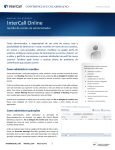
Welcome to InterCall Online
You know that InterCall’s complete range of conferencing solutions makes you more productive. But with user
names and passcodes for multiple services to keep track of, it’s sometimes a challenge just remembering your
logins. That’s where InterCall Online comes in—with a single login and a few mouse clicks, you’ll have access to
all of your online InterCall conferencing services.
InterCall Online is a free service provided by InterCall that makes it quicker and more convenient for you to
access all of your online InterCall services. From a single point of entry you’ll be able to reach web conferencing
services like Conference PlaceSM, provided by Microsoft Office Live Meeting, MeetingCenter™, powered by
WebEx, and Mshow®, audio call add-ons like Reservationless-Plus.com and Leader-ViewSM, and even InterCall’s
Online Reservation system. Once you’ve registered for InterCall Online, your InterCall tools are just a click away.
Upon logging into InterCall Online, you’ll have one-click access to host a web conference, make an audio
conference reservation, manage your Reservationless-Plus® account and more. In addition to giving you direct
access to InterCall conferencing services, InterCall Online also provides self-guided product demonstrations,
basic service information and support contact information.
This user guide provides information on the tools available to you and how to navigate InterCall Online.
User Type Overview
InterCall Online supports three types of users – Company Administrators, Account Administrators and Owners:
Company Administrator: Company Administrators have the highest level of authority within InterCall Online to
manage conference accounts. The Company Administrator is able to manage the company site, provision billing
accounts and set up new owners within the company.
Account Administrator: Account Administrators have access to various billing, account and individual profile
management tools. These capabilities ensure the Account Administrator can provide appropriate access to the
tools and services the owners under their hierarchy need and can also help the Account Administrator monitor
conferencing usage and invoicing.
Owner: An Owner is the end-user and “owner” of an individual account. The Owner can access tools to schedule
and manage meetings, initiate meetings and manage account information using InterCall Online.
This user guide will summarize the functionality available to the Owner.
Feature Overview
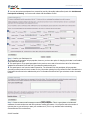
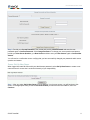
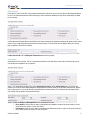
Welcome/Login
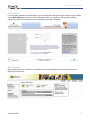
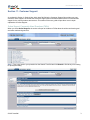
InterCall Online security has been architected to be flexible enough to allow different access levels depending on
the user’s needs and responsibilities. Start at the Welcome screen to securely access your unique set of tools and
features, create a new owner account, request forgotten password and/or usernames or join a meeting being
hosted by another owner.
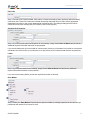
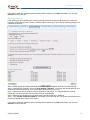
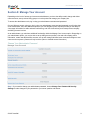
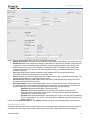
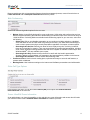
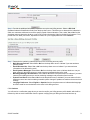
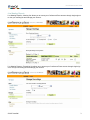
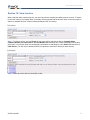
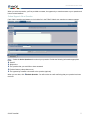
Once logged in, your InterCall Online home page may include your company’s branding, special announcements
from InterCall regarding new services and features, as well as a list of the services activated for your user profile.
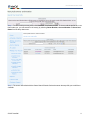
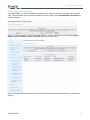
From the Home page, you can access the tools to schedule meetings, manage meetings, initiate meetings and
manage account information. A personal library of reservationless resources and various user support tools is
also available on the Home page.
© 2007 InterCall
4