1
8. Editing Support Files
Editing Currency Conversion Tables
Note:
Consolidation Pre-calculation is only supported by the F9 Enterprise
DataMart.
Saving the MAP file
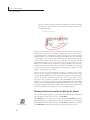
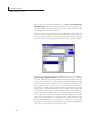
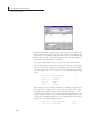
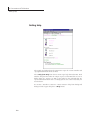
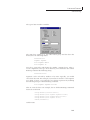
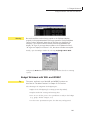
Saving a map file requires placing the cursor in cell A1 of the spreadsheet
and then selecting F9 File Editor|Save Map File. The MAP file is a Btrieve
database which can only be saved with the F9EDIT.XLL add-in.
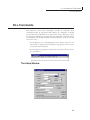
Editing Currency Conversion Tables
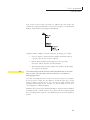
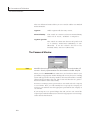
The F9 Enterprise DataMart supports two distinct conversion tables:
Consolidation Conversions and Transactional Conversions. These two tables
have two specific applications:
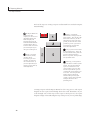
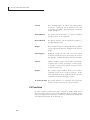
Consolidation Conversions
This table lists conversion rates applied on a fiscal period
basis for consolidation and reporting purposes. E.g.,
Cash accounts can be reported in another currency at a
rate appropriate for these accounts.
Transactional Conversions
This tables lists daily rates for converting transactions
to another currency while the transaction is posted to
the DataMart GL. This allows a GL to originate in one
currency, but be posted to the DataMart GL in additional
currencies.
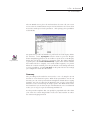
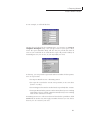
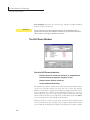
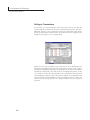
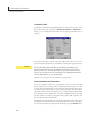
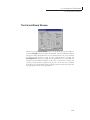
These tables can be edited using the F9Edit Add-in or using the File
Maintenance Utilites (FMU).
Dates are saved as julian dates (a numeric format) and must be formatted as
a date format your spreadsheet recognizes.
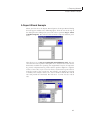
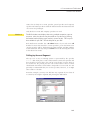
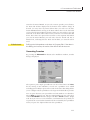
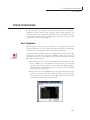
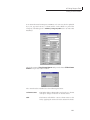
Editing Consolidation Conversion Rates
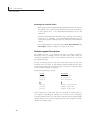
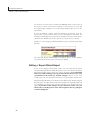
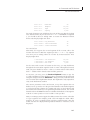
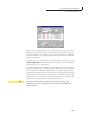
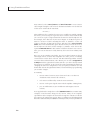
This table of rates can store a unique rate for each combination of: company,
account, period, source and target currency.
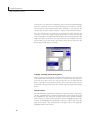
Consolidation conversions are normally symmetrical so source->target =
target->source; if F9 can not find a rate for a source currency to the target, it
will look for a rate from the target to the source and reverse it.
156