1
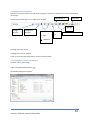
2.2.2 The Folder Bar
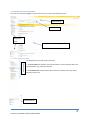
The folder bar changes depending on which folder you are in. When you are in the Inbox, the folder bar looks
similar to the following:
Displays which folder you are in
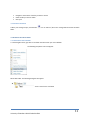
2.2.3 The Inbox Toolbar
The Inbox, Calendar, Contacts and other folders all have specific toolbars which allow you to carry out functions
based on that particular folder.
The toolbar displayed below will be visible when you are in your Inbox and other email folders:
2.3 CUSTOMIZING YOUR EMAIL ACCOUNT
2.3.1 Reading Pane
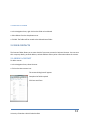
The reading pane allows you to view a preview of the highlighted message. By default, the Reading Pane is
displayed in the right hand column. However you can change the settings to display the Reading Pane under the
View Menu.
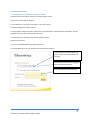
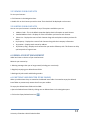
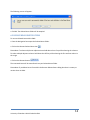
To change the Reading Pane display settings:
1.
2.
Click on the View menu item
Select the preferred option from the menu
University of Northern British Columbia 2011
7