1
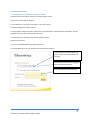
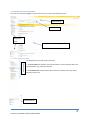
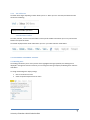
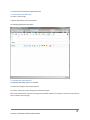
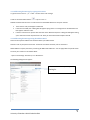
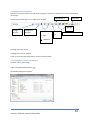
3.2.1 Addressing the Message by Typing In the Name • Type the name in the To…, Cc… or Bcc… sections of the new message. • Click on the Check Names button or press <ctrl> + K Outlook will check that the name is a valid name from the Global Address List and your contacts. If the name is valid, it will appear underlined. If the name is invalid, then a dialog box will appear saying that it is not recognized. A red dotted line will then appear under the name. If there is more than one person with that name in the address book, then a dialog box will appear asking you to select the correct recipient from a list. Once you have selected the recipient click OK. 3.2.2 Addressing the Message Using the Address Book There are two separate address lists contained within your address book: Contacts: A list of your personal Contacts. To find out more about Contacts, refer to section 6.0. Global Address List (GAL): A directory containing all UNBC email addresses . You can apply filters for specific views. To access your contacts or the Address Book: • Open a new message. Click the To, Cc or Bcc buttons. The following dialog box will appear: Enter the name of the person you are looking for University of Northern British Columbia 2011 9