1
POPGENE VERSION 1.31
1
New Feature in Current Version
For Windows 95, 08 and NT Users (32-bit version)
This version (1.31) has a new graphics interface that produces publication quality
dendrograms.
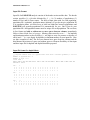
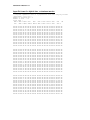
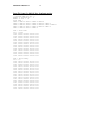
POPGENE generates two dendrograms for each populations analysis, base on Nei’s
regular and unbiased genetic distance measures. Immediately after each of these
dendrograms in the output file, you will now see “File Name: dgram1.plt “ or “File
Name: dgram2.plt “. These two files are stored in the same directory as your output file.
They are the files you use for printing publication quality dendrogram.
Now, open your word-processing package such as Microsoft Word or Corel WordPerfect.
Use the statements/commands “insert → picture → file from” to bring these files,
“dgram1.plt” or “dgram2.plt” into your word processor.
For Windows 3.11 Users (16-bit version)
Users must first download and install the following file:
ftp://ftp.microsoft.com/Softlib/MSLFILES/HPGL.EXE
Then, follow the procedures detailed above for Windows 95, 98 and NT.