1
POPGENE VERSION 1.31
2
Installing POPGENE from diskette/CD
1. Start Microsoft Windows (Windows 3.11, Windows 95, 98 and NT).
2. Insert the POPGENE Disk into your floppy drive/CD Drive.
3. Run A: POPGEN16.EXE (for 16-bit operating environment under Windows 3.11) or
A: POPGEN32 (for 16-bit operating environment under Windows 95, 98 and NT)
where ‘A’ is the floppy drive number or CD drive number on your computer.
4. Follow the instruction on your screen.
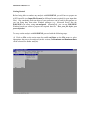
5. Go to the directory where you installed POPGENE and double click the POPGENE
icon to start the program.
Installing POPGENE that you downloaded from website
1. Start Microsoft® Window (Windows 3.11, Windows 95, 98 and NT).
2. Go to the directory where you stored your downloaded POPGENE.
3. Type or double click on the file you saved.
4. Follow the instructions on your computer screen.
5. Go to the directory where you have installed POPGENE and double click the
POPGENE icon to start the program.
Uuinstall POPGENE ?
32- bit version
Start Microsoft® Windows and select "Start" menu, "Settings", then "Control Panel".
Select "Add/Remove Programs" and double click on "Population Genetics Analysis ".
Follow the instructions on your computer screen.
16- bit version
Start Microsoft® Windows and select PopGen16 folder.
Double click on "Uninstall PopGen16".
Follow the instructions on your computer screen.