1
Advanced Features
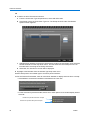
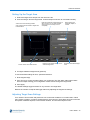
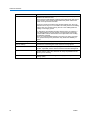
6 From the And Value is box, select an option to return these results:
Option
Results
Less Than
< Value 1 setting
Greater Than
> Value 1 setting
Equal To
= Value 1 setting
Between
Values between Value 1 and Value 2 settings
Found
Any results found
A String
A series of characters in Value 1 box
7 Click Delete to remove the highlighted text exception.
8 Click Import to import a specific file containing text exceptions.
9 Click Export to export highlighted exceptions to a specified file.
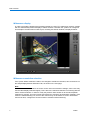
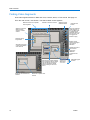
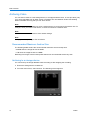
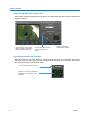
Advanced Searching with Motion Exception
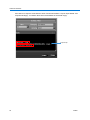
Motion exception searches for an event or activity by position, size, direction, and speed of a
moving object. Its parameters filter live video or search recorded video to find an event or activity.
After applying motion exception parameters, any object meeting your criteria in the target area
triggers an alarm.
• This feature applies to the Premier model only.
• On Intellex DVMS and LT, you can configure motion exception on up to 16 cameras. On Intellex
Ultra, you can only configure motion exception on up to 8 cameras.
• Motion exception cannot operate if the scheduled record rate is less than 7 ips.
• Motion exception requires a fixed camera or a dome in non-moving (fixed position) mode.
• You can configure one or more motion exception target areas at a time.
• Do not use Auto Rate Mode to configure recording rates when using motion exception filters for
alarm generation or search. Always use Camera Selectable Rate Mode and set the minimum
rate to 7.5 ips (6.25 for PAL) on cameras using motion exception filters.
Motion Exception vs. Motion Detection
Motion exception:
• Is more effective in performing what if searches.
• Performs detailed motion searches.
• Defines multiple regions of interest in various sizes.
• Specifies size, direction and speed of an object for detection.
Motion detection:
• Reacts to an image within the region of interest.
• Detects any motion that occurs.
User’s Guide 41