1
 Quick Start Guide /
Reading EID Devices
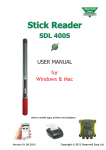
Turning on the Stick Reader
To turn on your Stick Reader press the green button once. The display will turn on
and will display Shearwell, the version number and the battery level.
Reading EID devices
The following applies to individual and not Rapid Read mode. For more information
regarding Rapid Read mode please consult the Rapid Read mode section.
After turning on the Stick Reader, to read an EID device press the green button once.
The Stick Reader will begin to scan for an EID device.
EID Device found
If an EID device is within range of the end of the Stick Reader, the screen will display
the EID number and store it in memory. The group count will be increased by one.
The Light Ring at the end of the Stick Reader will flash green to visually confirm
that the device has been read and the Stick Reader will also produce an audible
confirmation tone. The Stick Reader is ready to scan for another EID device straight
away - press the green button to scan for the next EID number.
EID Device not found
If no EID device is found during scanning the screen will display ‘No EID device
found’ and the Light Ring will flash red. The Stick Reader will also produce an audible
‘error’ tone to notify of the failed read
6